




TL;DR — Quick Summary
- Small business automation in 2026 means using AI and no-code tools to handle repetitive tasks automatically.
- Key areas to automate: marketing, customer support, sales, invoicing, HR, and inventory.
- Best tools: n8n, Zapier, Make (Integromat), HubSpot, and AI agents powered by GPT-4o.
- You can start automating for as little as $0–$50/month.
- Businesses that automate save an average of 10–20 hours per week.
Introduction: The Business Owner’s Biggest Time Thief
If you’re running a small business in 2026, you already know the feeling — it’s 10 PM, you’re still copy-pasting customer data between spreadsheets, manually sending follow-up emails, and updating inventory one row at a time.
Meanwhile, your competitor across town is doing the exact same revenue with half the team — because they automated everything they possibly could.
Automation applied to an inefficient operation will magnify the inefficiency.
— Bill Gates
Here’s the uncomfortable truth: manual, repetitive work is the single biggest barrier to small business growth. And in 2026, there is absolutely no reason to keep doing it by hand.
The good news? You don’t need to be a developer. You don’t need a massive budget. With the right affordable AI tools for startups and a solid strategy, you can automate your small business operations in days — not months.
This guide will show you exactly how.
What Is Small Business Automation?
Small business automation is the process of using software, AI tools, and digital workflows to complete recurring tasks without manual effort. Instead of a person performing the same action 50 times a day, a system does it automatically — faster, cheaper, and without errors.
Examples of everyday automation:
- A new customer fills out your website form → their info is automatically added to your CRM, they receive a welcome email, and a task is created in your project management tool.
- An invoice is overdue → the system sends a polite reminder at day 3, day 7, and day 14 without you lifting a finger.
- A product hits low stock → your inventory system alerts your supplier and creates a purchase order automatically.
This isn’t futuristic — these workflows are live inside thousands of small businesses right now. And in 2026, with AI agents becoming mainstream, automation is smarter and more accessible than ever before.
Key Benefits of Automating Small Business Operations
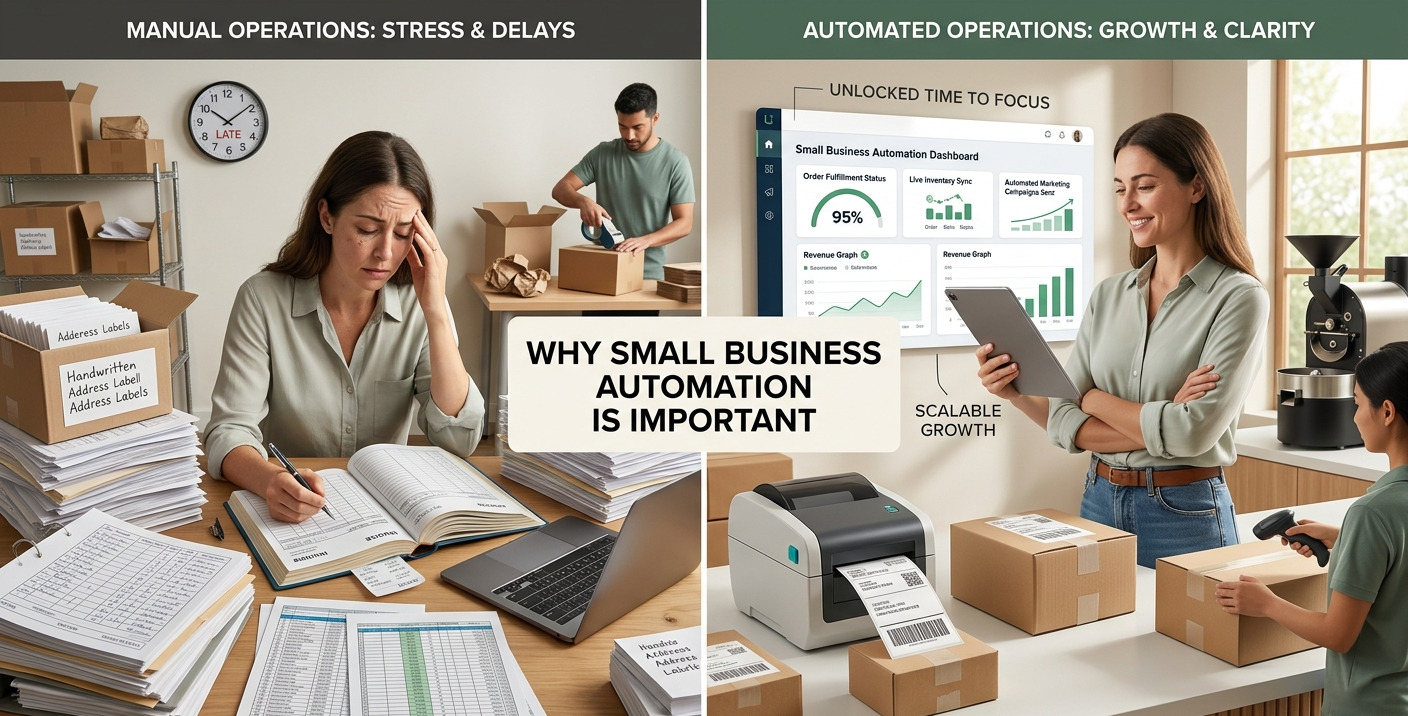
Before we jump into the “how,” here’s why automating your business operations should be your top priority this year:
- Time Savings (The Big One)
Automating repetitive tasks can save business owners 10–25 hours per week. That time can go toward strategy, sales, and growth. - Reduced Operational Costs
Hiring a person to do what a $30/month tool can handle is expensive. Automation reduces your dependence on manual labor for low-skill, high-frequency tasks. - Scalability Without Hiring
Automation scales linearly with your business. Handle 10 customers or 10,000 with the same setup — your workflows don’t get tired. - Fewer Errors
Humans make mistakes. Automated systems don’t forget to send a follow-up, mislabel a spreadsheet row, or fat-finger an invoice total. - Better Customer Experience
Fast, consistent, 24/7 responses and personalized communication make customers feel valued — without you being glued to your inbox.
Top Areas to Automate in a Small Business
1. Marketing Automation
Marketing is one of the highest-ROI areas for automation. Here’s what you can automate:
- Email campaigns: Set up drip sequences that nurture leads for weeks after signup — automatically.
- Social media scheduling: Tools like Buffer or Metricool schedule and post content across platforms on a set calendar.
- Lead capture & scoring: Forms on your website feed directly into your CRM, tagged and scored based on behavior.
- SEO and content workflows: AI tools help draft, optimize, and repurpose content at scale.
Tools to use: Mailchimp, ActiveCampaign, Buffer, HubSpot Marketing Hub
2. Customer Support Automation
In 2026, customers expect instant responses — even at 2 AM. Automation makes that possible without a 24/7 support team.
- AI chatbots handle FAQs, booking, and order tracking automatically.
- Helpdesk routing uses AI to classify and assign tickets to the right team member.
- Auto-responders acknowledge every inquiry instantly with a personalized message.
Tools to use: Intercom, Tidio, Freshdesk, Zendesk (with AI features)
3. Sales and CRM Automation
Sales teams (even solo ones) waste hours on follow-ups and data entry. Here’s what to automate:
- Log every call, email, and meeting automatically into your CRM.
- Send personalized follow-up sequences when a lead goes cold.
- Get notified when a high-value prospect opens your proposal.
- Auto-generate quotes based on form submissions.
Tools to use: HubSpot CRM (free tier available), Pipedrive, Close.io
4. Accounting and Invoicing Automation
Manual invoicing is a productivity killer. With small business accounting automation, you can:
- Auto-generate and send invoices when a project milestone is reached.
- Automatically reconcile bank transactions with accounting records.
- Send overdue payment reminders without emotional awkwardness.
- Sync expenses from receipts using OCR tools.
Tools to use: QuickBooks, FreshBooks, Wave (free), Xero
5. Inventory and Operations Automation
Whether you’re in e-commerce or product-based business, inventory automation prevents costly stockouts and overstocking.
- Auto-reorder from suppliers when stock hits threshold levels.
- Sync inventory across your website, Amazon, and brick-and-mortar store.
- Automatically update product listings when inventory changes.
Tools to use: Shopify (with automations), Cin7, TradeGecko
6. HR and Hiring Automation
Even if your team is small, hiring and onboarding are time-intensive. Automate them with:
- Applicant tracking systems (ATS) that filter resumes automatically.
- Onboarding workflows that send contracts, training videos, and setup checklists the moment someone is hired.
- Leave and payroll management synced with timesheets.
Tools to use: Rippling, Gusto, BambooHR, Workable
Best AI Tools for Small Business Automation in 2026
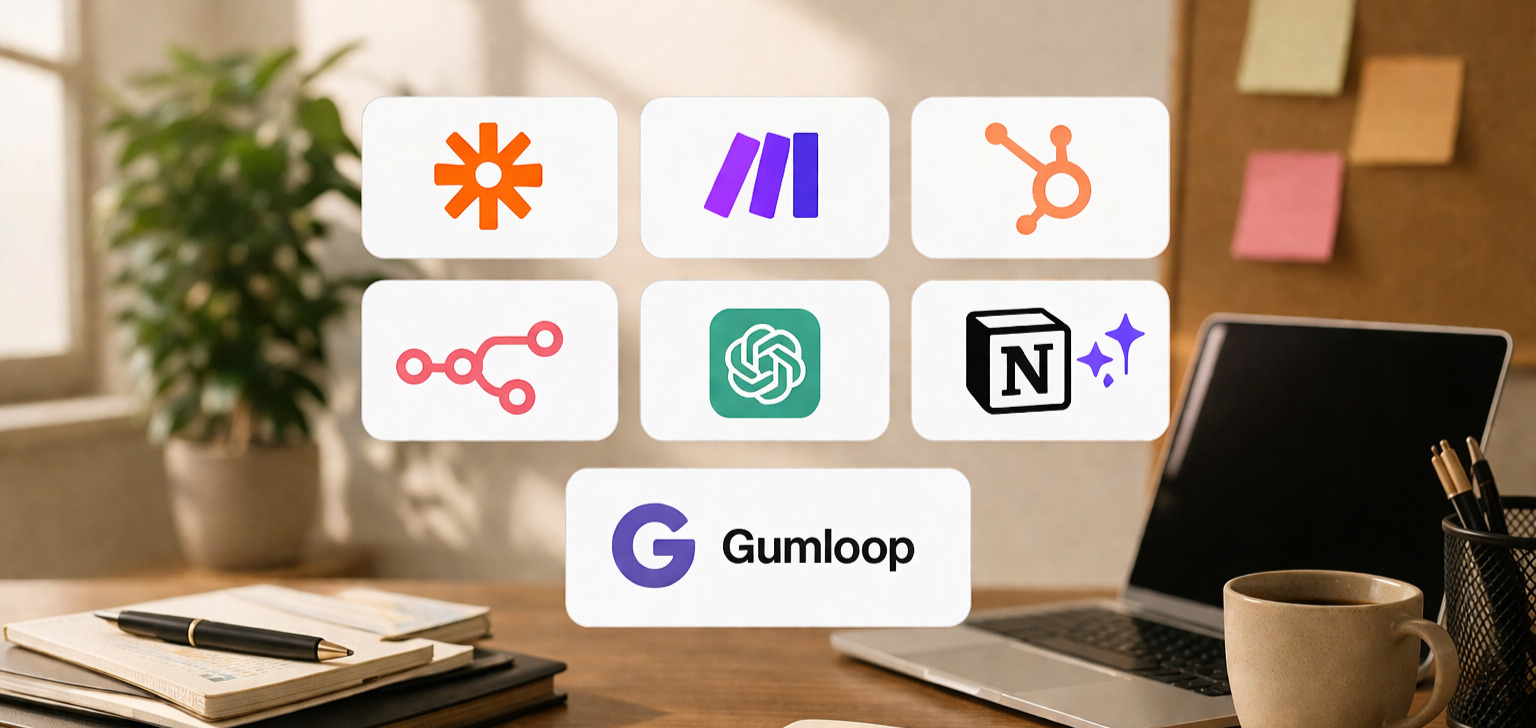
Here’s a comparison of the top platforms you should know:
|
Tool |
Best For |
Starting Price |
No-Code? |
AI Features? |
|
Zapier |
Simple multi-app workflows |
Free / $19.99/mo |
✅ Yes |
✅ AI Actions |
|
Make (Integromat) |
Complex visual workflows |
Free / $9/mo |
✅ Yes |
✅ AI modules |
|
n8n |
Developer-friendly, self-hosted |
Free (self-host) / $20/mo |
⚠️ Partial |
✅ AI agents |
|
HubSpot |
CRM + marketing automation |
Free / $15/mo |
✅ Yes |
✅ AI Copilot |
|
ChatGPT (API) |
Content, drafting, analysis |
$0.002/1K tokens |
✅ via UI |
✅ Core product |
|
Zapier + GPT |
Smart content automation |
$19.99/mo + API |
✅ Yes |
✅ Combined |
|
Notion AI |
Knowledge & ops management |
$10/mo |
✅ Yes |
✅ Built-in |
|
Gumloop |
AI-native no-code workflows |
$29/mo |
✅ Yes |
✅ AI-first |
Recommendation for beginners: Start with Zapier or Make for connecting your apps, then layer in HubSpot for CRM and marketing. As you grow, explore n8n for more powerful, customizable workflows.
Step-by-Step Guide to Automate Your Business
Step 1: Audit Your Repetitive Tasks
Spend one week logging every task that takes more than 5 minutes and happens more than once a week. These are your automation candidates. Common culprits: data entry, follow-up emails, appointment scheduling, report generation.
Step 2: Prioritize by Time and Impact
Rank each task by: – Time spent per week – Revenue impact (does it affect customer experience or sales?) – Ease of automation (can a tool handle this without custom code?)
Start with the highest time cost and simplest automation first.
Step 3: Choose Your Automation Platform
For most small business owners, the no-code automation tools for beginners stack looks like this: – Zapier or Make — connects all your apps – HubSpot or a CRM — manages customer relationships – Mailchimp or ActiveCampaign — automates email marketing – QuickBooks or Wave — automates accounting
Step 4: Build Your First Workflow (Zap/Scenario)
Example workflow for a service business:
Trigger: New contact form submission on website
→ Action 1: Add contact to HubSpot CRM
→ Action 2: Send personalized welcome email via Mailchimp
→ Action 3: Create follow-up task in Asana (due: 2 days)
→ Action 4: Notify owner via Slack DM
This single workflow replaces 4 manual steps that used to take 10–15 minutes per lead.
Step 5: Test, Refine, and Document
Run your workflows with test data. Check for errors. Document what each automation does so your team understands the system. Schedule a monthly review to identify what’s working and what needs updating.
Step 6: Scale Gradually
Don’t try to automate everything at once. Add one new workflow per week. Within 2–3 months, you’ll have a fully automated back-office operation running while you focus on growth.
Real-Life Use Cases: How Businesses Are Using Automation in 2026
Example 1 — Freelance Designer:
A solo graphic designer uses Typeform (intake form) + Zapier + HubSpot + QuickBooks. When a client submits a project inquiry, a quote is auto-generated, sent for approval, and once signed, an invoice is created. Saves 3–4 hours per new client.
Example 2 — E-commerce Store:
A Shopify store owner uses Make to connect Shopify + Klaviyo + Gorgias. Abandoned carts trigger a 3-email recovery sequence. Post-purchase triggers a review request 7 days later. Customer support tickets are auto-tagged by topic. Owner recovered 18% of abandoned carts passively.
Example 3 — Local Restaurant:
A restaurant uses an AI chatbot on their website + Google Business profile to handle reservations, answer FAQs (hours, parking, menu), and collect feedback — all without staff involvement during off-hours.
Common Mistakes to Avoid When Automating
- Automating broken processes: If a workflow is inefficient manually, automating it makes it faster and still wrong. Fix the process first, then automate.
- Over-automating customer touchpoints: Some moments need a human voice. Don’t let your business feel like a robot company. Keep key relationship moments personal.
- Choosing tools that don’t integrate: Always check that your existing tools have native connectors or Zapier/Make support before committing.
- Skipping documentation: Automation without documentation creates a mystery system that breaks and no one knows how to fix.
- Ignoring analytics: Automation should be measurable. Track open rates, conversion rates, and error logs regularly.
Cost of Automation in 2026: What Should You Budget?
Here’s a realistic monthly budget breakdown for a small business:
|
Tier |
Tools Included |
Monthly Cost |
Best For |
|
Starter |
Zapier Free + HubSpot Free + Wave |
$0 |
Solopreneurs just starting |
|
Growth |
Zapier Starter + HubSpot Starter + Mailchimp |
~$50–$80/mo |
Small teams (1–5 people) |
|
Scale |
Make Business + HubSpot Pro + ActiveCampaign |
~$150–$300/mo |
Growing SMBs |
|
Advanced |
n8n Cloud + Full HubSpot Suite + AI integrations |
$300–$600/mo |
Established businesses |
ROI Perspective: If automation saves you just 10 hours/week and your time is worth $50/hour, that’s $2,000/month in recovered productive time — from a $50/month tool investment. The math is rarely this clear, but the principle always holds.
Future Trends in Business Automation (2026 and Beyond)
- AI Agents (Agentic Workflows)
Instead of “if this, then that” triggers, AI agents can make decisions, browse the web, write content, and execute multi-step tasks autonomously. Tools like Relay.app and n8n’s AI agent nodes are bringing this to small businesses right now. - Hyperautomation
The combination of AI, RPA (robotic process automation), and analytics to automate entire business processes end-to-end — not just individual tasks. - Voice-Activated Workflows
Integrating with voice assistants and conversational AI for hands-free business management is becoming standard in operations-heavy industries. - Predictive Automation
Tools that don’t just react to triggers but predict when you’ll need something — like reordering inventory before you even realize stock is low. - No-Code AI App Builders
Platforms like Bubble, Glide, and Softr let non-technical founders build fully automated internal tools without writing a single line of code.
Conclusion: Start Small, Automate Smart, Grow Fast
The businesses winning in 2026 aren’t necessarily the ones with the biggest teams or the biggest budgets — they’re the ones that work the smartest. Small business automation is no longer a nice-to-have. It’s the infrastructure of a modern, competitive, scalable operation.
You don’t need to automate everything on day one. Pick your most painful, most repetitive task. Build one workflow. See the time come back. Then build another.
The compounding effect of automation is real — and it’s available to you today.
Ready to start? Sign up for a free HubSpot CRM account and connect it to your website form using Zapier. That’s your first automation. Do it this week.
Frequently Asked Questions (FAQs)
What is the easiest way to start automating a small business?
The easiest starting point is using a no-code tool like Zapier or Make to connect two apps you already use — for example, linking your contact form to your email list or CRM. You can build your first automation in under 30 minutes with no technical skills.
What are the best free automation tools for small businesses in 2026?
The best free tools include Zapier (free tier with 100 tasks/month), HubSpot CRM (free forever), Wave (free accounting), and n8n (free if self-hosted). Together, they can automate lead management, invoicing, and basic marketing workflows at zero cost.
How much does it cost to automate a small business?
Basic automation can be set up for $0–$50/month using free tiers. A full-featured automation stack for a growing small business typically costs $50–$300/month — a fraction of what manual labor would cost for the same work.
Can I automate my marketing without any coding knowledge?
Yes. Tools like Mailchimp, HubSpot, and ActiveCampaign offer drag-and-drop email automation builders designed for non-technical users. You can set up multi-step marketing sequences in under an hour with no coding required.
How do I know which tasks to automate first?
Start by identifying tasks that are: (1) highly repetitive, (2) rule-based (same steps every time), (3) time-consuming, and (4) low in creative or judgment value. Data entry, email follow-ups, appointment reminders, and invoice generation are universally great first automation candidates.
Is automation only for large businesses?
Not at all. In fact, small businesses and solopreneurs benefit more from automation per capita because every hour saved has a direct impact on growth. Most modern automation tools are specifically designed for small teams with limited technical resources.
What is the difference between Zapier and Make (Integromat)?
Both are no-code automation platforms that connect apps. Zapier is simpler and better for beginners with straightforward workflows. Make offers more complex, visual multi-step automations with better pricing for high-volume use. Start with Zapier; graduate to Make as your workflows grow.
Image Suggestions (with SEO Alt Text)
- Automation workflow diagram — A visual flowchart showing a lead going from form submission to CRM to email sequence.
Alt text: “Small business automation workflow diagram showing lead capture to CRM integration” - Tool comparison screenshot — Side-by-side UI of Zapier, Make, and n8n.
Alt text: “Comparison of best no-code automation tools for small business in 2026” - Business owner at laptop — Relaxed entrepreneur reviewing automated reports on a laptop.
Alt text: “Small business owner reviewing automated business operations dashboard” - ROI chart — Bar graph showing time saved per week after implementing business automation.
Alt text: “Chart showing ROI of small business automation — hours saved per week” - AI chatbot interface — Screenshot of a customer support chatbot handling an inquiry automatically.
Alt text: “AI chatbot automating customer support for a small business website in 2026”
Internal Linking Suggestions
- [Link to: “Best CRM Tools for Small Business in 2026”] → Place in the Sales/CRM section
- [Link to: “How to Use Zapier for Beginners”] → Place in Step-by-Step guide section
- [Link to: “Email Marketing Automation Guide”] → Place in Marketing Automation section
- [Link to: “No-Code App Builders for Entrepreneurs”] → Place in Future Trends section
External Linking Suggestions (Authoritative Sources)
- com/learn — Official automation learning center
- HubSpot Academy — Free CRM and automation courses
- McKinsey Report on Automation — Research on automation impact on SMBs
- Gartner Hyperautomation Research — Enterprise automation trends
Word count: ~2,400 words | Primary keyword: small business automation 2026 | Last updated: April 2026