






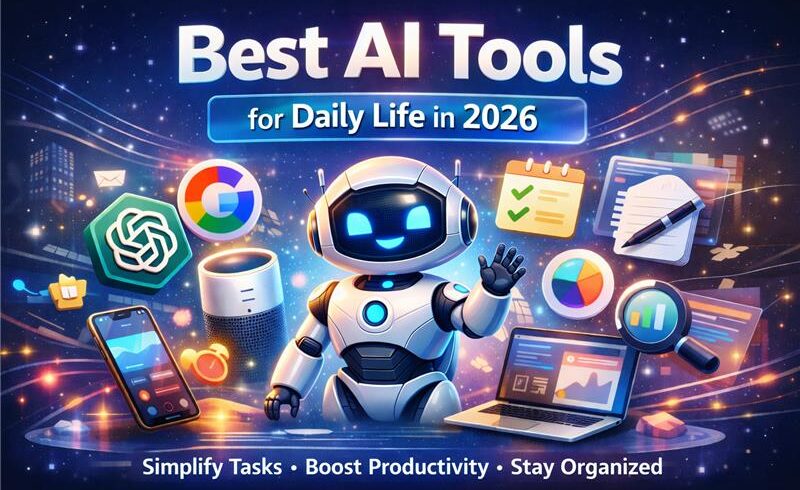

Best AI Tools for Daily Life in 2026: Full Reviews
1. ChatGPT — Best All-Purpose AI Assistant

What it does: ChatGPT by OpenAI is the Swiss Army knife of AI tools. It can write, code, explain, summarize, brainstorm, translate, and hold intelligent conversation across virtually any topic.
Key Features: – GPT-4o model with vision, voice, and file analysis – Custom GPTs for niche tasks (legal, fitness, cooking, etc.) – Memory across conversations – Web browsing and real-time information access – Available on web, iOS, and Android
Daily Life Use Cases: – Draft emails and professional messages in seconds – Summarize long articles, PDFs, and reports – Plan meals, trips, and daily schedules – Learn new concepts with personalized explanations – Debug code, write scripts, and automate workflows
Estimated Time Saved: 60–90 minutes/day for moderate users
Pros: – Most versatile AI tool available – Huge library of custom GPTs – Excellent reasoning and writing quality
Cons: – Free tier has usage limits – Can occasionally produce outdated information
Pricing: – Free: GPT-4o with limits – Plus: $20/month — unlimited access, voice mode, advanced features
Best For: Everyone — professionals, students, freelancers, and casual users
[Try ChatGPT for free — no credit card required]
2. Google Gemini — Best for Research & Google Workspace Users
What it does: Google Gemini is Google’s flagship AI, deeply integrated into Gmail, Docs, Sheets, and Search. It’s the ideal AI tool for anyone already living in the Google ecosystem.
Key Features: – Native integration with Gmail, Google Docs, Drive, and Calendar – Multimodal — processes text, images, audio, and video – Gemini Advanced powered by Ultra 1.0 model – Real-time Google Search integration
Daily Life Use Cases: – Summarize long email threads in Gmail – Generate drafts and meeting agendas in Google Docs – Analyze data in Google Sheets – Ask research questions with live web results
Estimated Time Saved: 45–70 minutes/day for Google Workspace users
Pros: – Seamlessly embedded in tools millions already use – Exceptional at research and fact-based tasks – Free tier is generous
Cons: – Less effective outside the Google ecosystem – Creative writing lags behind ChatGPT
Pricing: – Free: Gemini 1.5 Pro with standard limits – Advanced: $20/month (included in Google One AI Premium)
Best For: Professionals and students using Google Workspace daily
[Try Google Gemini free — best for Gmail and Docs users]
3. Notion AI — Best for Note-Taking & Project Management

What it does: Notion AI brings intelligent writing and organizing features directly into your Notion workspace. It helps you write faster, summarize notes, and manage projects without switching apps.
Key Features: – AI writing assistant embedded in every page – Summarize meeting notes and long documents instantly – Auto-generate action items, tables, and project timelines – Q&A across your entire Notion workspace
Daily Life Use Cases: – Convert messy meeting notes into structured summaries – Generate weekly project plans from a single prompt – Draft SOPs, blog posts, and newsletters – Organize personal knowledge base with AI tagging
Estimated Time Saved: 30–60 minutes/day for heavy Notion users
Pros: – Deeply integrated — no context switching needed – Excellent for knowledge management – Works across personal and team workspaces
Cons: – Only valuable if you already use Notion – Add-on pricing feels expensive for light users
Pricing: – Notion AI: $10/month add-on (billed on top of Notion plan) – Free trial available
Best For: Freelancers, project managers, and students who live in Notion
[Add Notion AI to your workspace — try it free]
4. Grammarly — Best for Writing & Communication
What it does: Grammarly is the gold standard for AI writing assistance. In 2026, it goes far beyond grammar checks — it rewrites sentences, adjusts tone, detects plagiarism, and helps you communicate more clearly across every platform.
Key Features: – Real-time grammar, style, and tone suggestions – Full-sentence rewrites and paraphrasing – Tone detector to match audience expectations – Works across Gmail, Docs, Slack, LinkedIn, and 500+ apps – Plagiarism detection (Premium)
Daily Life Use Cases: – Polish professional emails before sending – Improve academic papers and cover letters – Adjust tone for different audiences (formal vs. casual) – Catch errors in social media posts and messages
Estimated Time Saved: 20–40 minutes/day for heavy writers
Pros: – Works everywhere via browser extension – Extremely easy to use — zero learning curve – Free tier is very functional
Cons: – Premium features require paid subscription – Occasionally over-corrects creative writing
Pricing: – Free: Core grammar and spelling checks – Premium: ~$12/month (billed annually) – Business: ~$15/user/month
Best For: Professionals, students, and non-native English speakers
[Try Grammarly free — best beginner AI writing tool]
5. Perplexity AI — Best for Real-Time Research

What it does: Perplexity AI is a conversational research engine. Unlike traditional search, it gives you direct, cited answers instead of a list of links — making research dramatically faster and more trustworthy.
Key Features: – Real-time web search with source citations – Conversational follow-up questions – Focus modes (Academic, YouTube, Reddit, News) – Perplexity Pages for shareable research summaries – Pro Search with advanced reasoning
Daily Life Use Cases: – Research any topic in minutes with cited sources – Compare products before buying – Get quick answers on health, finance, and legal questions – Stay updated on news without doomscrolling
Estimated Time Saved: 30–60 minutes/day for research-heavy users
Pros: – Always cites its sources — highly trustworthy – Free tier is excellent – Much faster than traditional research methods
Cons: – Less useful for creative or writing tasks – Depth of analysis limited on free tier
Pricing: – Free: Standard searches with web access – Pro: $20/month — unlimited Pro Search, file uploads, API access
Best For: Students, researchers, journalists, and curious professionals
[Try Perplexity AI free — the smartest research tool of 2026]
6. Otter.ai — Best for Meeting Transcription

What it does: Otter.ai automatically records, transcribes, and summarizes meetings in real time. It works with Zoom, Google Meet, Teams, and in-person conversations — so you never miss a detail again.
Key Features: – Real-time transcription with speaker identification – AI-generated meeting summaries and action items – Integrates with Zoom, Google Meet, and Microsoft Teams – Shared notes and collaboration features – OtterPilot joins meetings on your behalf
Daily Life Use Cases: – Transcribe client calls and interviews automatically – Get meeting summaries emailed to you after every call – Search past conversations by keyword – Focus on the conversation instead of taking notes
Estimated Time Saved: 45–90 minutes/day for meeting-heavy professionals
Pros: – Exceptional transcription accuracy – Real-time collaboration on notes – Free tier covers most basic use cases
Cons: – Transcription accuracy drops with heavy accents – Storage limits on free plan
Pricing: – Free: 300 minutes/month transcription – Pro: $17/month — 1,200 minutes, advanced features – Business: $40/user/month
Best For: Managers, sales professionals, journalists, and remote teams
7. Fireflies.ai — Best for Meeting Summaries & Action Items

What it does: Fireflies.ai is an AI meeting assistant that joins your calls, records them, transcribes them, and automatically extracts key decisions and next steps — so nothing falls through the cracks.
Key Features: – Auto-joins meetings as a silent note-taker – Extracts action items, questions, and decisions – Searchable meeting repository – Integrations with 40+ tools including Slack, HubSpot, and Notion – Sentiment analysis on conversations
Daily Life Use Cases: – Automate follow-up emails based on meeting action items – Build a searchable archive of all past meetings – Share meeting summaries with teammates in one click – Track decisions made across multiple projects
Estimated Time Saved: 30–60 minutes/day for team leads and project managers
Pros: – Excellent integration ecosystem – Action item extraction is highly accurate – Generous free plan
Cons: – Some users find the bot joining meetings intrusive – Sentiment analysis can be hit-or-miss
Pricing: – Free: 800 minutes storage, limited summaries – Pro: $18/user/month – Business: $29/user/month
Best For: Entrepreneurs, team leaders, and sales teams
8. Reclaim.ai — Best for Smart Calendar Scheduling
What it does: Reclaim.ai is an AI calendar assistant that automatically schedules your tasks, habits, and meetings in the best available time slots — protecting your focus time and preventing burnout.
Key Features: – AI scheduling for tasks, habits, and 1:1 meetings – Smart conflict resolution – Integrates with Google Calendar, Slack, Asana, and Linear – Habit scheduling (gym, lunch, deep work blocks) – Team scheduling and analytics
Daily Life Use Cases: – Automatically block deep work time every morning – Schedule recurring habits like workouts and reading – Find the best meeting time without back-and-forth emails – Rebalance your calendar when priorities shift
Estimated Time Saved: 30–45 minutes/day in scheduling overhead
Pros: – Set it and forget it — fully automated – Dramatically reduces calendar chaos – Free plan covers most individual needs
Cons: – Currently Google Calendar only (Outlook support limited) – Learning curve to configure habits and priorities
Pricing: – Free: Core scheduling features for individuals – Starter: $10/user/month – Business: $15/user/month
Best For: Busy professionals, remote workers, and team managers
[Try Reclaim.ai free — take control of your calendar]
9. Motion — Best for AI Task & Time Management

What it does: Motion is an all-in-one AI productivity app that combines your calendar, task list, and project manager — then automatically builds your daily schedule based on priorities and deadlines.
Key Features: – AI-built daily schedule every morning – Automatically reschedules tasks when plans change – Project management with team assignments – Meeting scheduler with smart availability detection – Available on web, iOS, and Android
Daily Life Use Cases: – Wake up to a fully planned, prioritized day – Never manually reorganize your schedule when a meeting moves – Manage client projects alongside personal tasks in one place – Eliminate the daily “what should I work on next?” decision
Estimated Time Saved: 1–2 hours/day in planning and decision-making
Pros: – The most automated daily planning tool available – Eliminates decision fatigue entirely – Excellent for deadline-driven work
Cons: – No free plan (paid only) – Can feel overwhelming at first setup
Pricing: – Individual: $19/month – Team: $12/user/month (billed annually)
Best For: Entrepreneurs, freelancers, and project managers with complex workloads
10. Canva AI — Best for Design & Visual Content Creation
What it does: Canva AI turns anyone into a designer. With Magic Studio, you can generate images, remove backgrounds, write copy, and animate graphics — all without design experience.
Key Features: – Magic Media: text-to-image and text-to-video generation – Magic Write: AI copywriting inside designs – Background Remover and Magic Eraser – Brand Kit with AI-consistent styling – Thousands of AI-enhanced templates
Daily Life Use Cases: – Create social media posts in under 5 minutes – Design professional presentations without a designer – Generate custom images for blogs and marketing materials – Create YouTube thumbnails, banners, and logos
Estimated Time Saved: 1–2 hours per design project
Pros: – No design skills required — truly accessible – Massive template library – Free tier is extremely capable
Cons: – AI image quality lags behind Midjourney – Pro features require subscription
Pricing: – Free: Generous features with limited AI credits – Pro: $15/month — unlimited AI tools, premium templates – Teams: $10/user/month
Best For: Content creators, marketers, small business owners, and students
[Try Canva AI free — design anything in minutes]
📊 Full Comparison Table: Best AI Tools for Daily Life 2026
|
Tool |
Best Use Case |
Pricing |
Ease of Use |
Time-Saving Potential |
|
ChatGPT |
All-purpose AI tasks |
Free / $20/mo |
⭐⭐⭐⭐⭐ |
★★★★★ Very High |
|
Google Gemini |
Research + Google apps |
Free / $20/mo |
⭐⭐⭐⭐⭐ |
★★★★☆ High |
|
Notion AI |
Notes & project planning |
$10/mo add-on |
⭐⭐⭐⭐ |
★★★★☆ High |
|
Grammarly |
Writing & communication |
Free / $12/mo |
⭐⭐⭐⭐⭐ |
★★★☆☆ Moderate |
|
Perplexity AI |
Real-time research |
Free / $20/mo |
⭐⭐⭐⭐⭐ |
★★★★☆ High |
|
Otter.ai |
Meeting transcription |
Free / $17/mo |
⭐⭐⭐⭐ |
★★★★★ Very High |
|
Fireflies.ai |
Meeting summaries |
Free / $18/mo |
⭐⭐⭐⭐ |
★★★★☆ High |
|
Reclaim.ai |
Calendar automation |
Free / $10/mo |
⭐⭐⭐ |
★★★★☆ High |
|
Motion |
Daily schedule planning |
$19/mo |
⭐⭐⭐ |
★★★★★ Very High |
|
Canva AI |
Visual content creation |
Free / $15/mo |
⭐⭐⭐⭐⭐ |
★★★★☆ High |
🌅 Real-Life Use Cases: How AI Fits Into Every Part of Your Day
Morning Routine: Planning & Scheduling
Your day starts before you even sit at your desk.
Use Reclaim.ai or Motion to auto-schedule your tasks the night before. Wake up with a structured daily plan already in your calendar. Use ChatGPT to write your daily intentions in 30 seconds, or ask it to prioritize your to-do list based on deadlines and energy levels.
Time saved: 20–30 minutes every morning.
Work Productivity: Focus Without the Friction
During work hours, AI acts as a silent co-pilot.
Use Otter.ai or Fireflies.ai to transcribe every call automatically. Use Grammarly to polish every email before hitting send. Use Perplexity AI for instant research instead of opening 12 browser tabs. Use Notion AI to convert scattered notes into structured reports.
Time saved: 1–2 hours every workday.
Learning & Research: Know More, Faster
AI compresses hours of study into minutes.
Use Perplexity AI to get concise, cited answers on any academic topic. Upload your lecture slides or a research paper to ChatGPT and ask it to summarize key concepts. Use Google Gemini to cross-reference information across sources in real time.
Time saved: 30–60 minutes per research session.
Health & Fitness Tracking
AI isn’t just for work — it’s your wellness coach too.
Ask ChatGPT to generate a personalized weekly workout plan based on your fitness level and schedule. Use Reclaim.ai to automatically block gym time in your calendar every day. Track your nutrition goals by pasting your meals into ChatGPT for a quick macro breakdown.
Personal Finance Management
Managing money used to take spreadsheets and hours of effort.
Use ChatGPT to analyze your spending categories and suggest a realistic budget. Ask Perplexity AI for real-time answers on tax questions, investment basics, or interest rates. Use Notion AI to build and maintain a personal finance dashboard with zero coding.
🛠️ Step-by-Step AI Workflows
Workflow 1: How to Automate Your Daily Planning with AI
Step 1: At the end of each week, list your tasks and deadlines in Motion or Reclaim.ai.
Step 2: Let the AI auto-schedule every task based on priority and available time slots.
Step 3: Each morning, open your calendar — your day is already planned.
Step 4: When something changes (a meeting added, a deadline moved), the AI automatically reschedules everything around it.
Step 5: At end of day, ask ChatGPT: “Here’s what I completed today: [list]. What should I prioritize tomorrow?”
Result: Fully automated, stress-free daily planning in under 5 minutes.
Workflow 2: How to Save 2–3 Hours Daily Using AI Tools
|
Time of Day |
Task |
AI Tool |
Time Saved |
|
Morning |
Plan your day |
Motion / Reclaim |
20 min |
|
Morning |
Summarize overnight emails |
Google Gemini |
15 min |
|
Mid-morning |
Research for a project |
Perplexity AI |
30 min |
|
Afternoon |
Transcribe client meeting |
Otter.ai |
45 min |
|
Afternoon |
Write follow-up emails |
Grammarly + ChatGPT |
20 min |
|
Evening |
Create social content |
Canva AI |
30 min |
|
Total |
|
|
~2.5 hours |
Workflow 3: How to Replace Repetitive Tasks with AI
Identify your repetitive tasks. Common ones include: writing similar emails, scheduling meetings, summarizing documents, creating reports, formatting content, and doing manual research.
Map each task to an AI tool: – Repetitive emails → ChatGPT with saved prompts – Meeting scheduling → Reclaim.ai or Motion – Document summaries → Notion AI or ChatGPT – Research tasks → Perplexity AI – Content design → Canva AI
Create a “Prompt Library.” Save your best prompts in a Notion doc. Reuse them with one click every day.
Set automations. Use tools like Zapier to connect your AI tools — e.g., Fireflies.ai summaries auto-sent to Notion after every meeting.
Review monthly. Audit which tasks you’re still doing manually. There’s almost certainly an AI solution for them.
❓ Frequently Asked Questions
What are the best AI tools for daily life in 2026?
The best AI tools for daily life in 2026 include ChatGPT (all-purpose tasks), Grammarly (writing), Perplexity AI (research), Otter.ai (meeting notes), Reclaim.ai (scheduling), and Canva AI (design). The best tool depends on your specific needs — see our full comparison table above.
Are free AI tools enough for personal productivity?
Yes, for most everyday users. Tools like ChatGPT (free tier), Grammarly (free), Perplexity AI (free), and Canva (free) are powerful enough to save significant time without spending a dollar. Paid plans are worth considering if you’re a heavy user or rely on AI for professional work.
How can AI improve my productivity?
AI improves productivity by automating repetitive tasks, accelerating research, streamlining communication, and eliminating scheduling friction. Most users report saving 1–3 hours per day by incorporating just 2–3 AI tools into their workflow.
Which AI tool is best for beginners?
ChatGPT is the best starting point for beginners — it’s free, requires no setup, and can handle almost any task with simple plain-English prompts. Grammarly is also a zero-learning-curve option for anyone who writes regularly.
Can AI tools replace human creativity?
No — and they’re not designed to. AI tools are best used as creative accelerators, not replacements. They handle the repetitive, time-consuming parts of creative work (drafting, formatting, researching) so you can focus on the high-value, uniquely human parts.
Are AI tools safe to use for personal data?
Reputable tools like those listed here have strong privacy policies. However, avoid sharing sensitive personal data (financial details, passwords, confidential client information) with AI tools. Always review the privacy settings of any tool before using it for work-related tasks.
How do I choose the right AI tool for my needs?
Start by identifying your biggest time-wasters. If it’s emails and writing — try Grammarly and ChatGPT. If it’s meetings — try Otter.ai. If it’s scheduling chaos — try Reclaim.ai. Most tools have free plans, so test before committing.
Do AI tools work on mobile devices?
Yes. Most top AI tools — ChatGPT, Google Gemini, Grammarly, Otter.ai, Canva, and Notion — have excellent mobile apps for iOS and Android, making them accessible wherever you are.
🎯 Conclusion: Start Saving Time with AI Today
AI is no longer a future technology — it’s your competitive advantage right now.
The tools in this guide aren’t complex or expensive. Many are free. And together, they can realistically give you back 2–3 hours every single day — time you can reinvest into your work, your family, your health, or whatever matters most.
Our top 3 recommendations for beginners:
- ChatGPT (Free) — Start here. Use it for everything: writing, planning, research, and learning. It’s the most versatile AI tool on the planet.
- Grammarly (Free) — Install the browser extension today. It works everywhere and instantly improves every message you send.
- Perplexity AI (Free) — Replace your Google searches with this for faster, more reliable, source-cited answers.
You don’t need to adopt all ten tools at once. Pick one. Use it for a week. Notice how much time you get back. Then add another.
The people who thrive in 2026 won’t be those who work the hardest — they’ll be the ones who work the smartest. AI is how you get there.
Ready to start? Try ChatGPT for free at chat.openai.com — no credit card, no setup, just results.