



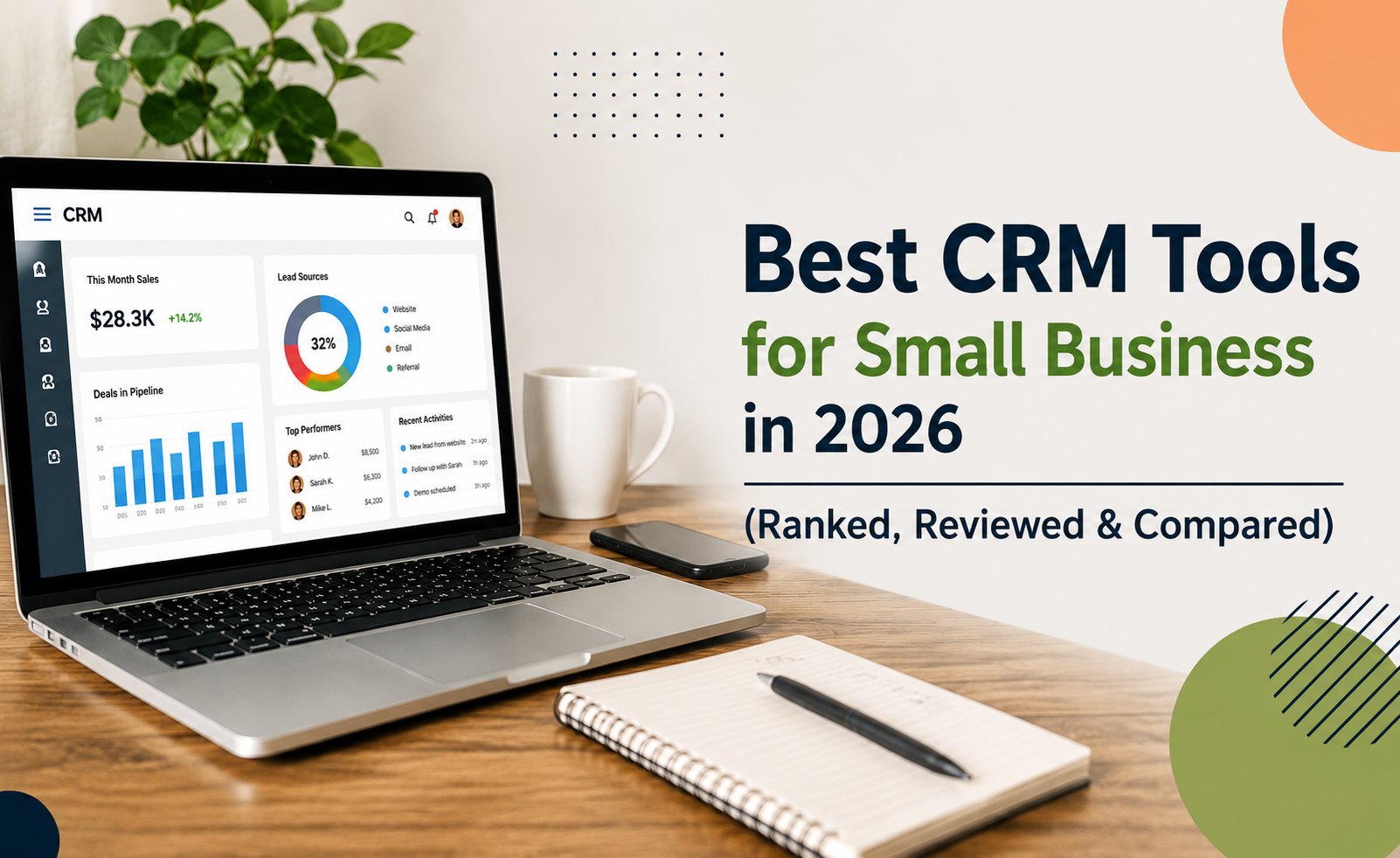


Are you still managing customer relationships in spreadsheets — or worse, sticky notes? If your small business is losing leads, missing follow-ups, or struggling to scale, you’re not alone. In 2026, the right CRM (Customer Relationship Management) software isn’t a luxury — it’s the backbone of every growing business.
This guide breaks down the best CRM tools for small business in 2026, covering everything from affordable plans for bootstrapped startups to feature-rich platforms built for ambitious sales teams. Whether you need automation, pipeline visibility, or better lead tracking, there’s a CRM built for you.
People find waiting more tolerable when they can see the work being done on their behalf
“Labor Illusion” insight
Why Small Businesses Need a CRM in 2026
Small business owners wear too many hats. Sales, marketing, customer support, and operations all compete for your attention. Without a centralized system, leads fall through cracks, data gets siloed, and growth stalls.
A modern CRM solves all of this by:
- Centralizing customer data — one source of truth for every contact and interaction
- Automating repetitive tasks — follow-up emails, reminders, deal updates
- Tracking the full sales pipeline — from first touch to closed deal
- Providing actionable analytics — know what’s working and what isn’t
- Scaling with your team — add users, workflows, and integrations as you grow
The global CRM market is projected to exceed $157 billion by 2030 (Grand View Research). Small businesses that adopt CRM early gain a measurable competitive edge.
Quick Comparison: Best CRM Tools for Small Business 2026
|
CRM Tool |
Starting Price |
Best For |
Free Plan |
Automation |
|
HubSpot CRM |
Free / $15/mo |
All-in-one marketing + sales |
✅ Yes |
✅ Yes |
|
Zoho CRM |
$14/user/mo |
Budget-conscious teams |
✅ Yes (3 users) |
✅ Yes |
|
Pipedrive |
$14/user/mo |
Visual pipeline management |
❌ No |
✅ Yes |
|
Freshsales |
Free / $9/user/mo |
AI-powered lead scoring |
✅ Yes |
✅ Yes |
|
Salesforce Starter |
$25/user/mo |
Scaling businesses |
❌ No |
✅ Yes |
|
Monday CRM |
$12/user/mo |
Project + CRM hybrid teams |
❌ No |
✅ Yes |
|
Keap (Infusionsoft) |
$199/mo |
Automation-heavy workflows |
❌ No |
✅ Advanced |
|
Streak CRM |
Free / $15/user/mo |
Gmail-native teams |
✅ Yes |
✅ Yes |
|
Copper CRM |
$9/user/mo |
Google Workspace users |
❌ No |
✅ Yes |
|
Insightly |
Free / $29/user/mo |
Project-linked sales teams |
✅ Yes |
✅ Yes |
The 10 Best CRM Tools for Small Business in 2026
1. HubSpot CRM — Best Free CRM for Small Businesses
HubSpot remains the gold standard for small businesses entering the CRM space. Its completely free core plan is genuinely powerful — not a stripped-down trial — making it the top pick for startups and growing teams.
Key Features: – Contact and deal management for unlimited users (free tier) – Email tracking, meeting scheduler, and live chat – Visual sales pipeline with drag-and-drop deals – Marketing, sales, and service hubs that expand as you grow – Native integrations with Gmail, Outlook, Slack, and 1,000+ apps
Pricing: – Free: Core CRM features, unlimited contacts – Starter: $15/user/month — removes HubSpot branding, adds email automation – Professional: $90/user/month — advanced automation, A/B testing, custom reporting
Pros: – Industry-leading free tier – Intuitive UI — minimal onboarding required – All-in-one platform (marketing, sales, support)
Cons: – Pricing jumps significantly from Starter to Professional – Advanced features can get expensive for larger teams
Best For: Solopreneurs, early-stage startups, and small teams wanting a scalable, affordable CRM for lead management.
2. Zoho CRM — Best Affordable CRM for Startups
Zoho CRM punches well above its price point. It’s one of the most feature-rich affordable CRM tools for startups, offering AI assistance, automation workflows, and omnichannel communication at a fraction of enterprise pricing.
Key Features: – Zia AI assistant for predictions, anomaly detection, and suggestions – Workflow automation, blueprint processes, and approval rules – Multichannel reach: email, phone, social media, live chat – Robust reporting and sales forecasting dashboards – Free plan supports up to 3 users
Pricing: – Free: 3 users, basic features – Standard: $14/user/month – Professional: $23/user/month – Enterprise: $40/user/month
Pros: – Exceptional value at every tier – Powerful automation and AI features even at mid-tier pricing – Deep customization options
Cons: – Interface can feel overwhelming for new users – Some features require manual configuration to set up properly
Best For: Budget-conscious small businesses and startups that need serious CRM power without enterprise pricing.
3. Pipedrive — Best CRM for Visual Sales Pipeline Management
Pipedrive was designed by salespeople, for salespeople. Its core philosophy is simple: activity-based selling — focus on the actions that close deals, not vanity metrics. The visual pipeline is among the cleanest in the industry.
Key Features: – Kanban-style drag-and-drop pipeline (multiple pipelines supported) – AI Sales Assistant for smart recommendations – Email integration with open/click tracking – Workflow automation with triggers and actions – Revenue forecasting and custom dashboards
Pricing: – Essential: $14/user/month – Advanced: $29/user/month – Professional: $59/user/month – Power: $69/user/month
Pros: – Beautifully simple and fast to learn – Purpose-built for sales tracking and pipeline management – Excellent mobile app
Cons: – No free plan – Marketing features require additional add-ons – Limited customer support features out of the box
Best For: Sales-focused small teams who want a clean, intuitive CRM for deal and lead management.
4. Freshsales — Best CRM with AI-Powered Lead Scoring
Freshsales (part of the Freshworks suite) is ideal for small businesses that want intelligent automation without complexity. The AI assistant, Freddy, helps prioritize leads, predict deal health, and automate outreach.
Key Features: – Freddy AI for contact scoring, deal insights, and next-best-action suggestions – Built-in phone, email, and chat in one platform – Visual pipeline with deal rotting alerts – Sequence automation for multi-step outreach campaigns – 360° customer view — complete interaction history
Pricing: – Free: Unlimited users, limited features – Growth: $9/user/month – Pro: $39/user/month – Enterprise: $59/user/month
Pros: – Outstanding free plan for small teams – Built-in calling and email without third-party tools – Freddy AI is genuinely useful for prioritization
Cons: – Advanced features locked behind higher tiers – Reporting is less flexible than some competitors
Best For: Small businesses prioritizing AI-driven lead scoring and multi-channel communication in one tool.
5. Salesforce Starter Suite — Best CRM for Growing Businesses
Salesforce is the undisputed enterprise CRM leader, and the Starter Suite brings that power to small businesses at an accessible price point. If you’re building with scale in mind, starting on Salesforce means you’ll never outgrow your CRM.
Key Features: – Lead, contact, account, and opportunity management – Email integration and activity tracking – AppExchange marketplace with 3,000+ integrations – Case management for customer support – Einstein AI (available on higher tiers)
Pricing: – Starter Suite: $25/user/month – Pro Suite: $100/user/month – Enterprise: $165/user/month
Pros: – Virtually unlimited customization and extensibility – Massive third-party integration ecosystem – Future-proof — scales from 5 to 50,000 users
Cons: – Steeper learning curve than competitors – Can be overkill and costly for very small teams
Best For: Ambitious small businesses planning to scale significantly within 1–2 years.
6. Monday CRM — Best CRM for Teams That Need Flexibility
Monday CRM blurs the line between project management and customer relationship management — in the best way. If your team already uses Monday.com for work management, adding CRM capabilities is a natural, frictionless transition.
Key Features: – Fully customizable boards, views (Kanban, list, timeline, map) – Lead and contact management with activity tracking – No-code automation recipes for routine tasks – Native integrations with 200+ tools – Collaborative workspace for sales and operations teams
Pricing: – Basic: $12/user/month (3 seat minimum) – Standard: $17/user/month – Pro: $28/user/month
Pros: – Exceptionally flexible and visual – Easy to adapt for non-sales use cases – Great for teams blending project work and sales
Cons: – Not as sales-focused as dedicated CRM tools – Reporting is less robust than Salesforce or HubSpot
Best For: Creative agencies, freelancers, and hybrid teams that manage projects alongside customer relationships.
7. Keap — Best CRM for Advanced Marketing Automation
Keap (formerly Infusionsoft) is the choice for small businesses that want serious marketing and sales automation under one roof. It’s more complex than entry-level CRMs, but the automation depth is unmatched at this price range.
Key Features: – Visual campaign builder with multi-step automation sequences – CRM, email marketing, landing pages, and payments in one platform – Lead capture forms and scoring – Automated follow-up texts and emails – Revenue reporting and subscription management
Pricing: – Pro: $199/month (2 users, 1,500 contacts) – Max: $289/month (3 users, 2,500 contacts)
Pros: – Best-in-class automation for complex funnels – All-in-one platform reduces tool sprawl – Excellent for service businesses and coaches
Cons: – High starting price for small teams – Significant learning curve upfront – Per-contact pricing adds up quickly
Best For: Small businesses with sophisticated email marketing funnels, coaching practices, and service businesses needing end-to-end automation.
8. Streak CRM — Best CRM for Gmail Users
Streak lives inside your Gmail inbox — no switching tabs, no learning a new interface. For small businesses that run their entire operation from Google Workspace, it’s the most frictionless CRM solution available.
Key Features: – CRM pipeline built directly into Gmail – Email tracking, mail merge, and scheduling – Shared pipelines for team collaboration – G Suite integration (Drive, Sheets, Calendar) – Mobile apps for iOS and Android
Pricing: – Free: Solo users, basic pipeline – Solo: $15/user/month – Pro: $49/user/month
Pros: – Zero context-switching — works inside Gmail – Quick setup (minutes, not days) – Great for relationship-heavy businesses
Cons: – Gmail-only — not useful outside Google ecosystem – Less powerful than standalone CRMs for complex sales
Best For: Solopreneurs, consultants, and small businesses already living inside Google Workspace.
9. Copper CRM — Best CRM for Google Workspace Teams
Copper is purpose-built for Google Workspace, offering deeper integration than Streak with a more traditional CRM interface. It automatically captures and organizes contacts from Gmail without any manual data entry.
Key Features: – Auto-data entry from Google contacts and emails – Pipeline management with Google Calendar sync – Task automation and follow-up reminders – Reporting and revenue tracking – Integrates with Google Meet, Drive, and Sheets natively
Pricing: – Starter: $9/user/month – Basic: $23/user/month – Professional: $59/user/month
Pros: – Near-zero manual data entry – Clean, modern interface – Tight Google Workspace integration
Cons: – Exclusively for Google Workspace users – Limited third-party integrations outside the Google ecosystem
Best For: Small teams fully committed to the Google Workspace ecosystem who want automated contact management.
10. Insightly — Best CRM for Project-Linked Sales
Insightly uniquely connects CRM and project management, making it ideal for businesses that deliver projects after the sale — agencies, consultants, manufacturers, and service providers.
Key Features: – Lead routing and opportunity management – Post-sale project management with milestones – Custom dashboards and advanced reporting – Email marketing integration – 250+ app integrations via native connectors and Zapier
Pricing: – Free: 2 users – Plus: $29/user/month – Professional: $49/user/month – Enterprise: $99/user/month
Pros: – Seamless handoff from sales to delivery – Strong project management features – Reasonable pricing for the feature set
Cons: – Interface feels dated compared to newer CRMs – Mobile app needs improvement
Best For: Agencies, consultants, and service businesses that need to manage customer relationships and project delivery in one place.
How to Choose the Right CRM for Your Small Business
With dozens of options available, narrowing down the best CRM for small business comes down to five key questions:
- What’s your primary goal? Lead generation → HubSpot or Freshsales. Pipeline management → Pipedrive. Automation → Keap or Zoho CRM.
- What’s your budget? – Free: HubSpot, Zoho, Freshsales, Streak, Insightly – Under $15/user/month: Pipedrive, Copper, Monday CRM – Premium investment: Salesforce, Keap
- How technical is your team? Pipedrive and HubSpot are famously easy to learn. Salesforce and Keap require more setup time but reward the investment.
- What tools do you already use? – Gmail/Google Workspace → Streak or Copper – Monday.com → Monday CRM – Freshdesk → Freshsales
- Do you need to scale quickly? If growth is the goal, start on Salesforce or HubSpot — both scale to enterprise without requiring a platform migration.
Key Features to Look for in a CRM (2026 Edition)
When evaluating easy CRM software for small teams, prioritize these capabilities:
- Workflow Automation — Auto-assign leads, trigger follow-up emails, update deal stages without manual input
- Contact & Lead Management — Clean, searchable database with complete interaction history
- Sales Pipeline Visualization — Drag-and-drop boards showing exactly where every deal stands
- Email Integration — Two-way sync with Gmail or Outlook; email open/click tracking
- Reporting & Analytics — Revenue forecasting, activity reports, funnel conversion rates
- Mobile App — A capable mobile CRM is non-negotiable for field sales and on-the-go teams
- Third-Party Integrations — Connects to tools like Slack, Zapier, QuickBooks, and your marketing stack
- AI Features — Lead scoring, deal health predictions, smart suggestions (increasingly standard in 2026)
- Scalability — Can the tool grow with you from 3 users to 30?
Benefits of Using a CRM for Small Businesses in 2026
Adopting CRM tools with automation features delivers measurable ROI:
- 27% higher customer retention rates (Salesforce State of Sales Report)
- 29% increase in sales revenue for businesses using CRM consistently
- Reduced time spent on manual admin — automation handles routine follow-ups and data entry
- Better collaboration — everyone on the team sees the same customer data
- Smarter forecasting — real data-driven pipeline visibility instead of gut instinct
- Improved customer experience — personalized, timely communication at every touchpoint
Common Mistakes to Avoid When Choosing a CRM
Even savvy business owners make these errors when selecting their first or next CRM:
Choosing features over fit. A CRM with 500 features means nothing if your team won’t use it. Prioritize simplicity and adoption.
Ignoring data migration. Switching CRMs later is painful. Choose a platform you can grow into from day one.
Skipping the free trial. Every major CRM offers a trial. Test it with your actual data and real workflows — not demo data.
Underestimating onboarding time. Budget 2–4 weeks for team training and data import, even for “easy” platforms.
Not involving your sales team. The people who will use the CRM daily should have a say in selecting it. Adoption is everything.
Overpaying for unused features. Start lean. You can always upgrade — but you can’t get back the money spent on enterprise plans you don’t need yet.
Frequently Asked Questions
Which CRM is best for beginners in 2026? HubSpot CRM is widely regarded as the best CRM for beginners. Its free plan is genuinely powerful, the interface is intuitive, and the learning resources are best-in-class. Pipedrive is a close second for teams focused purely on sales pipeline management.
What is the cheapest CRM for small business? HubSpot, Zoho CRM, Freshsales, and Streak all offer free plans. For paid plans, Copper ($9/user/month) and Freshsales Growth ($9/user/month) are among the most affordable options with meaningful automation features.
What CRM is best for lead management and sales tracking? Pipedrive excels at visual sales pipeline tracking, while HubSpot and Freshsales lead the pack for end-to-end lead management — from capture to close. Salesforce is the most comprehensive but comes at a higher cost.
Do I need a CRM if I’m a solopreneur? Yes. Even solo businesses benefit from a CRM to track follow-ups, manage relationships, and automate outreach. Streak (Gmail-based) or HubSpot Free are ideal starting points — both are free and require minimal setup.
What’s the difference between a CRM and a spreadsheet? Spreadsheets are static; CRMs are dynamic and connected. A CRM auto-logs emails, sets reminders, tracks deal stages, scores leads, and generates reports — all automatically. Spreadsheets require constant manual updates and break down quickly as your contact list grows.
Which CRM has the best automation for small business? Keap leads for complex multi-step marketing automation. HubSpot Professional and Zoho CRM offer excellent automation at mid-tier pricing. Freshsales Growth provides solid automation even on its free and entry-level plans.
Conclusion: The Best CRM Is the One Your Team Actually Uses
In 2026, small businesses can no longer afford to manage customer relationships manually. Whether you’re a solo consultant tracking a handful of high-value clients or a 15-person sales team chasing a full pipeline, there’s a CRM built precisely for your situation.
Our top picks at a glance: – Best overall free CRM: HubSpot CRM – Best value for money: Zoho CRM – Best for sales pipelines: Pipedrive – Best for AI automation: Freshsales – Best for scaling: Salesforce Starter – Best for Gmail users: Streak or Copper
Start with a free trial of your top two or three choices, run them with real data for 14 days, and let your team vote. The CRM with the highest adoption rate will always outperform the one with the most features gathering digital dust.
Ready to find your perfect CRM? Start with HubSpot’s free plan today — no credit card required — and experience firsthand how the right tool transforms your sales process.
Last updated: April 2026 | Sources: Salesforce State of Sales Report, Grand View Research CRM Market Analysis, G2 CRM Category Data
Internal Linking Suggestions:
- “Best Email Marketing Tools for Small Business 2026”
- “How to Build a Sales Funnel from Scratch”
- “Top Automation Tools for Small Business Owners”
External Authority References: