







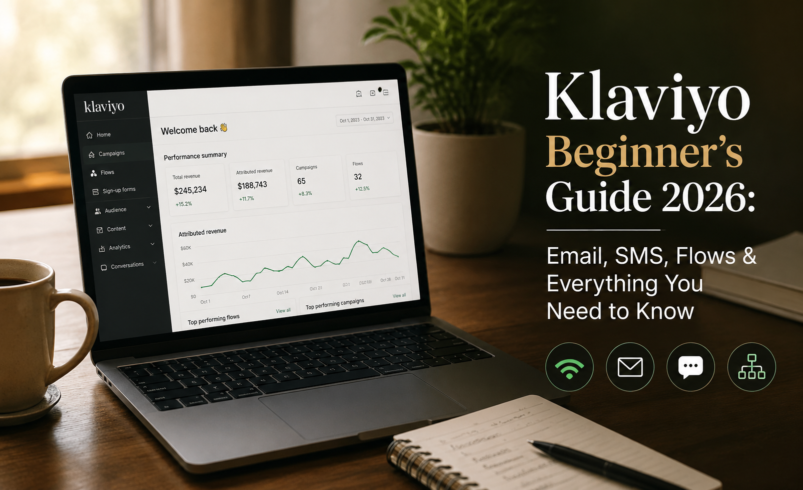

Quick answer (featured snippet): Klaviyo is an ecommerce-first marketing automation platform that combines email, SMS, WhatsApp, and AI-powered customer data tools in one place. It connects directly to Shopify and 350+ other platforms to help brands personalize marketing based on real purchase and browsing behavior. The free plan covers up to 250 active profiles, and paid email plans start at $20/month.
“The businesses that win are the ones that deliver stunning, personalized experiences at scale.”
— Andrew Bialecki, Co-founder & Co-CEO of Klaviyo
If you have been searching for a beginner’s guide to Klaviyo, you are probably in one of two situations: you just opened a Shopify store and someone told you to use Klaviyo, or you have been using a simpler email tool and finally hit its ceiling.
Either way, you are in the right place.
Klaviyo is the email and SMS marketing platform that powers over 193,000 ecommerce brands — from scrappy DTC startups to nine-figure retailers. It is not just an email tool. It is a customer data platform, a revenue attribution engine, an AI automation suite, and a multi-channel communication hub — all built specifically for ecommerce.
This guide covers everything a beginner needs: what Klaviyo actually is, how to set it up from scratch, how to build the flows that drive the most revenue, how SMS and WhatsApp work, and how to read the numbers that matter. No jargon, no fluff — just a complete walkthrough you can act on today.
Table of Contents
- What Is Klaviyo? (And Why Ecommerce Brands Swear by It)
- Klaviyo Dashboard Overview — Your First 10 Minutes
- Email Marketing in Klaviyo
- SMS Marketing Setup in Klaviyo
- WhatsApp Marketing in Klaviyo
- Klaviyo AI Features in 2026
- Klaviyo Flows Explained (Best Automation Guide for Beginners)
- Klaviyo Campaigns — One-Off Sends That Drive Revenue
- Klaviyo Segmentation for Ecommerce
- Signup Forms and List Growth
- How to Connect Shopify to Klaviyo (Step-by-Step)
- Analytics, Revenue Tracking, and A/B Testing
- Klaviyo Pricing in 2026 — What You Actually Pay
- Klaviyo Pros and Cons
- Common Beginner Mistakes to Avoid
- How Freelancers and Agencies Can Offer Klaviyo Services
- FAQ Section
- Final Thoughts and Next Steps
1. What Is Klaviyo?
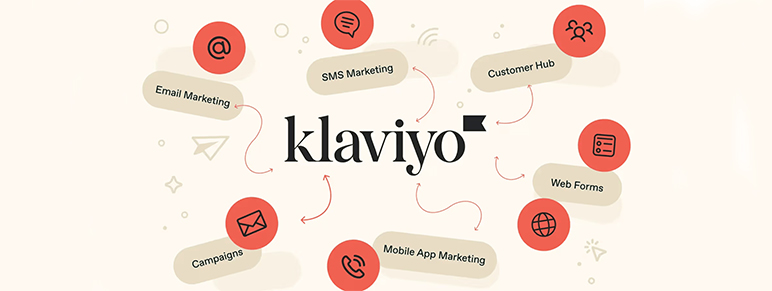
Klaviyo is a marketing automation and customer data platform built specifically for ecommerce. Founded in Boston in 2012, it went public on the NYSE in 2023 and has since grown to become the dominant email and SMS marketing platform for Shopify merchants globally.
What separates Klaviyo from generic email tools like Mailchimp or Constant Contact is one thing: it was built around ecommerce data from day one.
When someone visits your Shopify store, browses a product, adds to cart, or completes a purchase, Klaviyo captures that behavior and uses it to trigger hyper-relevant, personalized messages. Instead of sending the same promotional email to your entire list, you can automatically send a “you left something in your cart” message to the exact people who abandoned a checkout in the last four hours — with the specific products they left behind, their name, and a discount only if they haven’t bought before.
That is the difference. And that is why brands using Klaviyo consistently report email and SMS driving 20–40% of their total revenue.
What Klaviyo Is NOT
Klaviyo is not a social media management tool, a website builder, or a paid ads platform. It is specifically designed for owned channel marketing — meaning email, SMS, WhatsApp, and push notifications. These are channels you own, not rent from an algorithm.
Who Uses Klaviyo?
- Shopify and Shopify Plus merchants — the deepest native integration in the ecommerce CRM space
- DTC brands in fashion, beauty, health, food, home goods, and more
- WooCommerce, Magento, and BigCommerce stores via native integrations
- Ecommerce agencies and freelancers who manage retention marketing for clients
- B2C subscription businesses using Recharge or similar platforms
2. Klaviyo Dashboard Overview — Your First 10 Minutes
When you log into Klaviyo for the first time, the left sidebar is your navigation map. Here is what each section does:
|
Dashboard Section |
What It Does |
|
Home |
Overview of recent revenue, campaign performance, and flow metrics |
|
Campaigns |
Create and send one-time email or SMS sends to a segment |
|
Flows |
Build automated message sequences triggered by customer behavior |
|
Lists & Segments |
Manage your audience groups and build behavioral segments |
|
Signup Forms |
Create popups, embedded forms, and flyouts to grow your list |
|
Analytics |
Deep-dive into revenue attribution, open rates, and flow performance |
|
Profiles |
Individual customer records with full purchase and engagement history |
|
Integrations |
Connect Shopify, WooCommerce, and 350+ other platforms |
|
Settings |
Email sending domain, sender name, suppression list management |
The most important first step when you open a new Klaviyo account is connecting your ecommerce store (covered in Section 11). Without that connection, Klaviyo is just a contact database. With it, it becomes a revenue engine.
3. Email Marketing in Klaviyo
How Email Works in Klaviyo
Email in Klaviyo works differently depending on whether you’re sending a Campaign (one-time send) or a Flow (automated sequence). Both use the same drag-and-drop email editor, but the logic behind each is different. More on the distinction in Sections 7 and 8.
The Email Editor
Klaviyo’s email editor is block-based — you drag in content blocks (text, image, button, product, video, divider) and arrange them visually. No coding required. For beginners, Klaviyo also offers a growing library of pre-built email templates organized by use case: welcome emails, promotional campaigns, order confirmations, re-engagement, and seasonal sends.
If you want more design control, Klaviyo supports custom HTML and CSS. Most agencies and advanced users build their own master template and use it as a base for every email they send.
Email Deliverability Basics
Before you send your first email, set up a custom sending domain in Klaviyo Settings. This means your emails come from yourname@yourbrand.com rather than a Klaviyo subdomain. This single step significantly improves deliverability — the likelihood your email lands in the inbox rather than the spam folder.
Also ensure: – Your DNS records include SPF, DKIM, and DMARC authentication – You start sending to your most engaged contacts first (warming the domain) – You suppress hard bounces and unengaged subscribers regularly
Step-by-Step: How to Create Your First Email Campaign
- Go to Campaigns in the left sidebar
- Click Create Campaign, select Email
- Give it an internal name (e.g., “May Sale — 20% Off All Skincare”)
- Select your audience — choose a segment or list
- Set your subject line and preview text (aim for 6–10 words in the subject)
- Open the email editor and either choose a template or start from scratch
- Add your content: header image, body copy, product blocks, CTA button
- Use dynamic tags like {{ first_name|default:’there’ }} to personalize the greeting
- Preview on desktop and mobile before sending
- Choose Send Now or Schedule for Later, then confirm
4. SMS Marketing Setup in Klaviyo
SMS marketing in Klaviyo is one of its most powerful and most underused features by beginners. When done right, SMS consistently outperforms email on open rates (SMS averages 98% open rate vs email’s ~35–45% in Klaviyo).
How SMS Credits Work
Klaviyo uses a credit-based system for SMS. Credits are consumed based on: – Message type (SMS vs MMS vs WhatsApp) – Recipient country (US, UK, Canada, Australia each have different credit costs) – Message length (one SMS = 160 characters; longer messages use multiple segments)
A standard US SMS costs approximately 1 credit ($0.012/credit). The same message sent to Canada costs 3 credits. An MMS with an image uses 3–15 credits depending on location.
The free plan includes 150 SMS credits/month. Paid Email + SMS plans start at $35/month and include 1,250 credits.
How to Set Up SMS in Klaviyo
- Go to Settings → SMS in Klaviyo
- Enable SMS for your country (US, UK, Canada, Australia, and others are supported)
- Choose a toll-free number (free, takes 2–4 weeks for verification) or a dedicated short code (faster, premium-priced)
- Set up your legal compliance settings — this is non-negotiable. SMS requires explicit opt-in, and Klaviyo will guide you through the compliance flow
- Build a SMS opt-in form — you need separate consent for SMS vs email
- Start by adding SMS to your welcome flow (more on this in Section 7)
Step-by-Step: Sending Your First SMS Campaign
- Go to Campaigns → Create Campaign → SMS
- Select your SMS subscriber list (not your email list — they need separate consent)
- Write your message. Keep it under 160 characters to avoid multi-segment billing. Include your brand name at the start
- Add a link using Klaviyo’s built-in link shortener with click tracking
- Optionally add an image (MMS) for product promotions — visuals drive higher click rates
- Schedule or send immediately
5. WhatsApp Marketing in Klaviyo
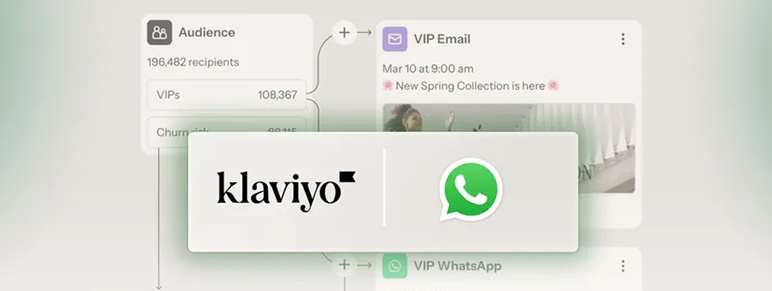
WhatsApp marketing launched in Klaviyo as a major channel, and as of 2026 it is now fully integrated with flows, campaigns, segmentation, and AI personalization features.
How WhatsApp Works in Klaviyo
WhatsApp messages are billed using the same credit system as SMS. Credits are pooled — you can use them for SMS, MMS, or WhatsApp interchangeably. WhatsApp has a 168-character limit per message segment (slightly different from SMS’s 160 characters).
WhatsApp billing follows Meta’s pricing structure, which charges per delivered template message rather than per conversation (as of July 2025). Rates vary by country and message type (marketing vs transactional).
What’s New for WhatsApp in Klaviyo 2026
Klaviyo’s Spring 2026 release added several major WhatsApp features:
- Next Best Product (NBP) recommendations now work in WhatsApp — customers receive AI-personalized product suggestions based on purchase history directly inside their WhatsApp chat
- Customer Agent AI now supports WhatsApp — meaning an AI assistant can handle customer support, product questions, and order updates via WhatsApp automatically
- Back-in-stock forms now collect WhatsApp consent alongside SMS
- Smart Opt-In for WhatsApp was added to signup forms
WhatsApp is particularly powerful for brands with large audiences in Brazil, India, Germany, the UK, and other markets where WhatsApp has higher penetration than SMS.
6. Klaviyo AI Features in 2026
Klaviyo has made AI a core part of its platform — not a bolt-on feature. Here is what is actually useful for beginners to understand.
Marketing Agent (AI Campaign Builder)
The most game-changing AI feature for beginners is Marketing Agent, Klaviyo’s AI that can build complete campaigns from a text prompt. You describe what you want (“a summer sale email for skincare customers who haven’t bought in 60 days, 20% off with a sense of urgency”), and the AI generates the audience, subject line, email copy, and layout — all grounded in your brand’s data and voice.
Review it, edit if needed, and launch. This collapses a task that used to take 2 hours into 15 minutes.
Personalized Send Time
Instead of scheduling a campaign for 10am and sending to everyone at once, Personalized Send Time uses AI to send each message at the specific time that individual subscriber is most likely to open and click. You set a window (e.g., between 8am–6pm), and Klaviyo handles the delivery timing per subscriber.
Early results from brands using this feature show meaningful lifts in open rates, particularly for promotional campaigns.
Predictive Analytics
For every customer profile, Klaviyo generates predictions: – Predicted next order date — when the system expects them to buy again – Churn risk — likelihood they will stop purchasing – Customer lifetime value (CLV) prediction — expected total spend over their lifetime – Average order value prediction
These predictions power smarter segmentation. For example, you can segment “all customers predicted to churn in the next 60 days with CLV above $200” and send them a targeted win-back offer before they leave.
AI Content Generation
Klaviyo’s built-in AI can generate subject lines, preview text, and email body copy from a brief prompt. It is useful for generating first drafts, though most experienced Klaviyo users treat it as a starting point that they edit rather than a finished output.
Smart Translations
For brands selling internationally, Klaviyo’s Smart Translations feature can translate email content across languages with support for right-to-left scripts and rich text — useful for Middle Eastern and South Asian markets.
7. Klaviyo Flows Explained — The Automation Engine
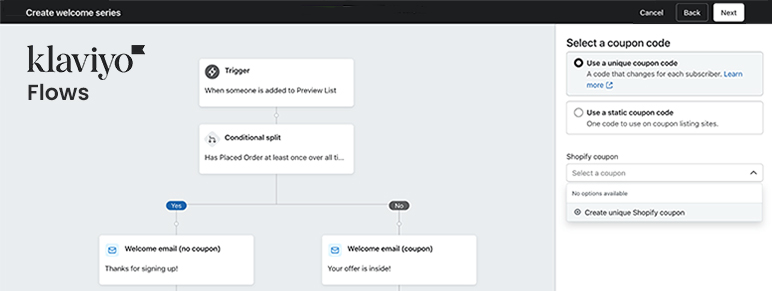
Flows are the most important thing to understand in Klaviyo. They are automated email or SMS sequences triggered by a specific customer action or condition — not sent manually by you.
The difference between a flow and a campaign: a campaign is a one-time send you schedule manually. A flow runs automatically, 24/7, for every customer who meets the trigger condition. This is where Klaviyo earns its reputation — a well-built set of flows can generate 30–40% of a brand’s total monthly revenue with zero ongoing effort after setup.
The 6 Most Important Flows for Beginners
1. Welcome Flow (Highest Priority)
Trigger: Someone joins your email list (usually via a signup form)
The welcome flow is the highest-return flow for most brands. A new subscriber has shown intent — they want to hear from you. This is the moment to tell your brand story, deliver on the offer they signed up for (e.g., 10% off), and introduce them to your bestsellers.
Recommended welcome flow structure: – Email 1 (immediately): Deliver the discount code + brand introduction – Email 2 (Day 2): Bestsellers or “customer favorites” – Email 3 (Day 4): Brand story — why you started, your values – Email 4 (Day 6): Social proof — reviews, testimonials, user-generated content – Email 5 (Day 10): Final nudge to use the discount before it expires
How to build it: 1. Go to Flows → Create Flow 2. Choose List Triggered Flow 3. Select your main email list as the trigger 4. Add an email action, set the time delay for each step 5. Design each email in the editor, personalize with {{ first_name }} 6. Set flow to Live when you are satisfied
2. Abandoned Cart Flow (Highest Revenue Recovery)
Trigger: Someone adds to cart but does not purchase within 4 hours
This is the flow most often cited as a brand’s single highest-revenue-generating automation. It recovers purchases from people who were interested enough to add to cart — they just needed a reminder, a nudge, or a small incentive.
Recommended abandoned cart structure: – Email 1 (4 hours after abandonment): “You left something behind” — show the specific product – Email 2 (24 hours later): Social proof for the abandoned product — reviews – Email 3 (3 days later): Small incentive (10% off or free shipping) for first-time buyers
Pro tip: Add a flow filter to exclude anyone who has completed a purchase since the trigger. You do not want to send an abandoned cart email to someone who bought through a different device.
3. Browse Abandonment Flow
Trigger: Someone views a product page but does not add to cart
This flow catches window shoppers and brings them back. It is less aggressive than cart abandonment — use it to show the product they viewed, highlight reviews, and suggest complementary items.
4. Post-Purchase Flow (Often Overlooked by Beginners)
Trigger: Order placed
Post-purchase flows are how you turn one-time buyers into loyal repeat customers. They are also one of the most underused flows by beginners.
What to include: – Order confirmation + “what to expect” message (Email 1) – Packaging/shipping update (Day 2–3) – Unboxing tips or product usage guide (Day 5–7) – Review request at the right moment (Day 10–14 depending on product type) – Cross-sell recommendation for a complementary product (Day 21)
5. Win-Back Flow
Trigger: Customer has not purchased in 90, 120, or 180 days (use predicted churn data to refine timing)
Not every customer will buy again automatically. A win-back flow identifies customers going cold and sends a sequence to re-engage them with a personalized offer, product recommendation, or brand update.
6. Price Drop / Back in Stock Flow
Trigger: Price drops on a browsed product, or an out-of-stock product returns to inventory
These trigger-based flows are highly relevant because the customer was already interested in the specific product. Back-in-stock emails have some of the highest click-to-purchase rates of any automation.
8. Klaviyo Campaigns — One-Off Sends That Drive Revenue
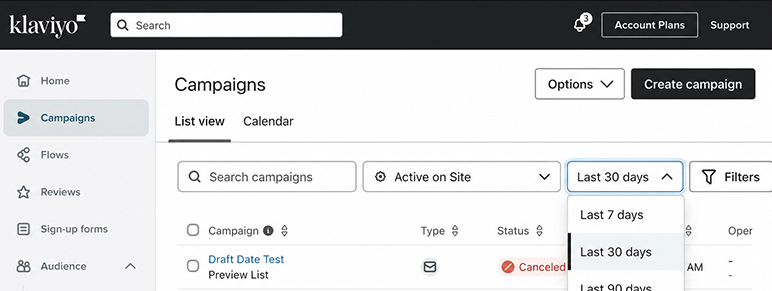
While flows run automatically in the background, campaigns are how you communicate in the moment — product launches, seasonal sales, holiday promotions, newsletters, and new arrivals.
Campaigns vs Flows: When to Use Each
|
Situation |
Use Campaigns |
Use Flows |
|
Black Friday sale |
✓ |
|
|
New product launch |
✓ |
|
|
Weekly newsletter |
✓ |
|
|
Welcome new subscribers |
|
✓ |
|
Recover abandoned carts |
|
✓ |
|
Post-purchase upsell |
|
✓ |
|
Win back lapsed customers |
|
✓ |
|
Browse abandonment reminders |
|
✓ |
Omnichannel Campaigns in 2026
A newer Klaviyo feature allows you to create omnichannel campaigns — a single send that delivers via email, SMS, and WhatsApp simultaneously to the appropriate subscribers. Klaviyo groups these in reporting as a unified campaign row so you can see the combined performance.
9. Klaviyo Segmentation for Ecommerce
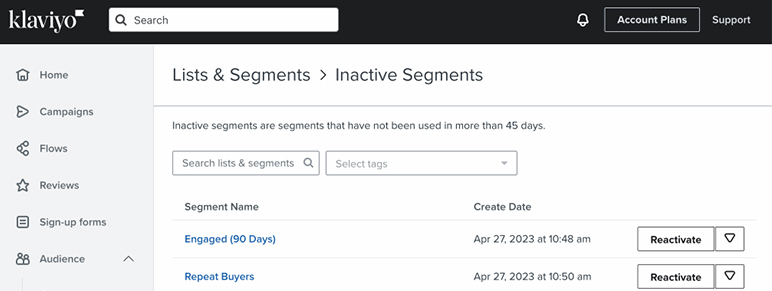
Segmentation is what separates effective Klaviyo users from beginners who blast emails to their entire list and wonder why revenue is flat.
A segment in Klaviyo is a dynamic group of profiles that automatically updates based on conditions you set. Unlike a list (static, added manually or via form), a segment pulls in anyone who currently meets the criteria — and removes them when they no longer qualify.
Most Useful Segments for Beginners
|
Segment Name |
Criteria |
Why It Matters |
|
VIP Customers |
Placed 3+ orders OR spent $500+ |
Reward loyalty, protect deliverability with engaged list |
|
High-Intent Browsers |
Viewed product 2+ times in 7 days, no purchase |
Prime candidates for browse abandonment flow |
|
Lapsed Customers |
Last purchase 120+ days ago |
Win-back campaign targets |
|
SMS Subscribers |
Consented to SMS |
SMS campaign sends |
|
Engaged Email Subscribers (90 days) |
Opened or clicked email in 90 days |
Best deliverability-friendly send list |
|
New Subscribers (First 30 Days) |
Joined list within 30 days |
Welcome flow audience |
|
Predicted High LTV |
Klaviyo CLV prediction in top 20% |
Premium offers, early access campaigns |
Step-by-Step: Creating a Segment
- Go to Lists & Segments → Create Segment
- Give it a descriptive name
- Add your first condition using the dropdown builder
- Add additional conditions with AND / OR logic as needed
- Preview the estimated profile count
- Save — Klaviyo automatically keeps the segment updated
AI-Generated Segments
In 2026, Klaviyo added the ability to describe a segment in plain language and have AI build the condition logic for you. Type “customers who bought in the last 60 days but haven’t opened an email in 30 days” — Klaviyo converts it to the correct filter logic automatically.
10. Signup Forms and List Growth
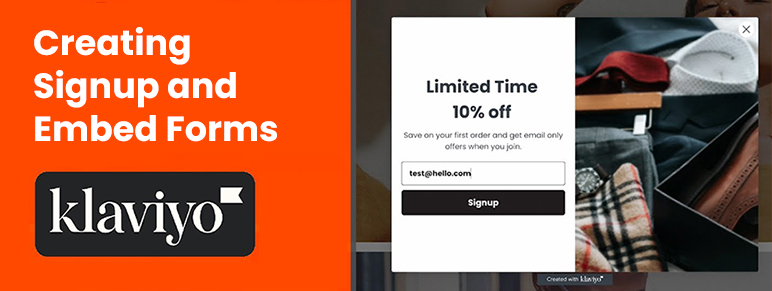
Every person on your email or SMS list represents owned audience — a subscriber you can reach without paying a platform like Meta or Google for every impression.
Klaviyo’s signup form builder lets you create: – Popup forms (appear after a time delay or scroll depth trigger) – Flyout forms (slide in from the side) – Embedded forms (placed directly on a page, e.g., footer) – Full landing pages (hosted by Klaviyo — new in early 2026) – Multi-step forms (collect email first, then offer SMS opt-in on the next step)
What Makes a High-Converting Signup Form
The best-performing Klaviyo forms for beginners typically include: – A clear offer (10–15% off, free shipping, early access) rather than a generic “join our newsletter” – One primary field (email address) — add SMS opt-in as a second step, not on the same form – A compelling headline that speaks to a desire rather than just describing the offer – Mobile optimization — over 60% of form views happen on mobile
Instagram to Klaviyo Subscriber Growth
One of the most exciting new features in Klaviyo’s Spring 2026 update: Social Auto-Replies allow a brand to set up an automated Instagram DM reply that includes a tap-to-text link. When followers comment on an Instagram post, they receive an automated reply that lets them opt into SMS with one tap. This turns social engagement into owned audience growth without a separate tool.
11. How to Connect Shopify to Klaviyo
Connecting your Shopify store to Klaviyo is the most important setup step you will take. It unlocks everything: behavioral triggers, product blocks in emails, real-time revenue attribution, customer profiles with purchase history, and predictive analytics.
Step-by-Step: Shopify + Klaviyo Integration
In Klaviyo: 1. Go to Integrations in the left sidebar 2. Search for Shopify 3. Click Add Integration 4. Enter your Shopify store URL (yourstore.myshopify.com) 5. Click Connect to Shopify
In Shopify: 6. You will be redirected to Shopify — review the permissions Klaviyo is requesting 7. Click Install App
Back in Klaviyo: 8. On the integration settings page, configure: – Sync historical data — enable this to import your existing customer purchase history – Track active on site events — this allows Klaviyo to fire when someone views a product or adds to cart (required for browse abandonment and cart abandonment flows) – List assignment — choose which Klaviyo list new Shopify customers are added to
- Click Save
The integration is live. Within 15–30 minutes, historical order data will begin populating customer profiles. Product catalog data syncs automatically, enabling dynamic product blocks in emails.
What Shopify Data Flows Into Klaviyo
Once integrated, Klaviyo receives and tracks: – All customer orders (historical and real-time) – Product catalog (names, prices, images, URLs) – Viewed product events – Added-to-cart events – Checkout started (abandoned checkout) – Order fulfilled, refunded, cancelled events – Customer email consent status
This data powers every segmentation, flow trigger, and personalization feature in Klaviyo. Without it, the platform is a fraction of what it can be.
12. Analytics, Revenue Tracking, and A/B Testing
Revenue Attribution in Klaviyo
Klaviyo attributes revenue to your marketing using a 5-day click attribution window by default (customizable). If someone clicks a link in your email or SMS and purchases within 5 days, that revenue is attributed to that message.
Your main analytics views:
- Campaign Analytics — open rate, click rate, revenue, conversions, unsubscribes per campaign
- Flow Analytics — total revenue, revenue per recipient, conversion rate for each flow
- Overview Dashboard — top-line email and SMS revenue, new subscribers, unsubscribe rate
Key Metrics Every Beginner Should Track
|
Metric |
What It Tells You |
Healthy Benchmark |
|
Open rate |
Email deliverability + subject line strength |
35–55% (Klaviyo accounts, 2025) |
|
Click rate |
Email content relevance + CTA strength |
1.5–5% |
|
Conversion rate |
How well the email drives purchasing action |
1–3% |
|
Revenue per recipient (RPR) |
True monetary value of each email send |
Varies by brand, track trend |
|
Unsubscribe rate |
List health + content relevance |
Under 0.2% |
|
Flow revenue |
Automated revenue without ongoing effort |
Target: 25–40% of email revenue |
A/B Testing in Klaviyo
Klaviyo’s A/B testing is available on all paid plans. You can test: – Subject lines (most common and easiest to interpret) – Preview text – Sender name – Send time – Email content (two versions of the entire email)
For beginners, start with subject line A/B tests — they are the easiest to run and the fastest to generate statistical significance. Run tests on a minimum of 1,000+ recipients to get reliable data.
13. Klaviyo Pricing in 2026
Klaviyo’s pricing model changed significantly in February 2025 and continues under the same structure in 2026. Understanding how it works saves you from surprises as your list grows.
How Klaviyo Charges
Klaviyo bills based on active profiles — the number of contactable subscribers in your account (email or SMS). More profiles = higher monthly cost. This replaced the older per-send model.
An active profile is any contact in your Klaviyo account, including unsubscribed contacts unless you suppress them. Regular list cleaning is now a direct cost-saving action.
Klaviyo Plan Tiers (2026)
|
Plan |
Profiles |
Monthly Cost |
Key Features |
|
Free |
Up to 250 |
$0 |
500 email sends/month, 150 SMS credits, basic automation |
|
|
251–500 |
From $20/mo |
Unlimited sends (10x profiles), predictive analytics, AI features, no Klaviyo branding |
|
Email + SMS |
251–500 |
From $35/mo |
All Email features + 1,250 SMS/WhatsApp credits |
Plans auto-scale as your profile count crosses thresholds. At 10,000 profiles, the Email plan costs approximately $150/month. At 50,000 profiles, pricing typically ranges from $500–700/month depending on exact tier.
Add-On Products
|
Add-On |
Starting Price |
What It Does |
|
Customer Hub |
$20/month |
Self-service order tracking portal embedded on your storefront |
|
Customer Agent AI |
$50/month (75 conversations) |
AI handles customer questions, product recommendations, support |
|
Helpdesk |
$10/month (50 tickets) |
Unified support inbox across email, SMS, WhatsApp, and social |
|
Marketing Analytics |
$100/month |
Advanced data analysis and reporting dashboards |
How to Control Klaviyo Costs
- Suppress unengaged contacts regularly (anyone who hasn’t opened an email in 180+ days)
- Archive profiles you will never contact again
- Use segments for sends rather than your full list — you only pay for active profiles, but sending only to engaged subsets protects deliverability
- For SMS: calculate credit costs per country before scaling international SMS campaigns
14. Klaviyo Pros and Cons
Advantages
- Deepest Shopify integration in the email marketing category — no competitor comes close
- Revenue attribution is native — no third-party tools needed to see which emails made money
- Customer data platform built in — unified profiles with full purchase history, predictive data, and behavioral tracking
- SMS, WhatsApp, and email in one platform — no separate tools or data sync required
- Powerful segmentation that updates dynamically and automatically
- AI features that are genuinely useful — not just checkboxes on a feature list
- 350+ integrations with major ecommerce platforms, apps, and tools
- Large knowledge base and community — Klaviyo Academy, community forums, and extensive documentation
Disadvantages
- Pricing can escalate as your list grows, particularly if you are not actively suppressing unengaged contacts
- Learning curve for beginners who are not used to behavioral data and trigger-based logic
- Not designed for B2B — the platform is optimized for ecommerce, not long sales cycle B2B marketing
- Limited native social media tools — no scheduling, no ad management
- SMS international rates vary significantly and can add up quickly for non-US brands
- Add-ons are priced separately — the full platform picture (with Customer Agent, Helpdesk, etc.) is more expensive than the base plan suggests
15. Common Beginner Mistakes to Avoid
Most of the revenue brands leave on the table with Klaviyo comes from a handful of consistent beginner mistakes.
- Only using campaigns, never setting up flows Campaigns require ongoing effort and stop working when you stop sending. Flows run forever once built. Most experienced Klaviyo users set up flows first and treat campaigns as supplementary.
- Emailing the entire list every time Sending to unengaged subscribers hurts your sender reputation with inbox providers. Always use an “engaged subscribers” segment for promotional campaigns.
- Not warming a new sending domain Sending 50,000 emails from a brand-new domain on day one triggers spam filters. Start with your 1,000 most engaged subscribers, then gradually increase volume over 4–6 weeks.
- Ignoring the unsubscribe rate An unsubscribe rate above 0.3% on a campaign is a red flag. It usually means you are sending to the wrong people or with the wrong frequency.
- Building abandoned cart flows without the active-on-site tracking enabled Shopify’s native “checkout abandoned” event is different from Klaviyo’s “added to cart” event. Make sure the Klaviyo JavaScript snippet is installed and active-on-site tracking is enabled in the integration settings.
- Not suppressing inactive contacts Since Klaviyo now charges based on active profiles, every unengaged subscriber is costing you money. Run a suppression campaign every 90 days on contacts who haven’t engaged in 180+ days.
- Skipping the welcome flow Many beginners collect email addresses and immediately blast promotional campaigns without ever introducing the brand. Welcome flows consistently deliver the highest engagement rates of any Klaviyo automation.
16. How Freelancers and Agencies Can Offer Klaviyo Services
Klaviyo is one of the most in-demand skill sets in ecommerce marketing in 2026. Brands of all sizes need help setting it up, optimizing it, and managing it — and most do not have the internal expertise to do it themselves.
Services You Can Offer as a Klaviyo Freelancer or Agency
|
Service |
Typical Pricing |
Description |
|
Klaviyo account setup |
$500–2,500 |
Full integration, domain setup, core flows, lists |
|
Welcome flow build |
$300–800 |
4–6 email sequence with copywriting and design |
|
Abandoned cart flow |
$250–600 |
3-email sequence with conditional splits |
|
Full flow suite setup |
$1,500–5,000 |
All core flows (welcome, cart, post-purchase, win-back, browse) |
|
Monthly management retainer |
$500–3,000/month |
Ongoing campaign management, reporting, optimization |
|
List health audit + cleanup |
$300–1,000 |
Suppress inactive contacts, improve deliverability |
|
Email template design |
$200–800 |
Custom branded master template in Klaviyo |
|
SMS strategy + setup |
$400–1,200 |
SMS compliance, opt-in forms, SMS flow integration |
Getting Certified
Klaviyo offers free certification courses through Klaviyo Academy (academy.klaviyo.com). The Klaviyo Email Marketing certification is the most recognized. Adding it to your LinkedIn profile and portfolio immediately builds credibility with prospective clients.
The Partner Program
Klaviyo’s official Partner Program allows agencies to become listed in their partner directory, which drives inbound leads from brands specifically looking for Klaviyo experts. Joining costs nothing — you need to meet a minimum number of active client accounts and pass basic competency criteria.
17. FAQ Section
What is Klaviyo used for?
Klaviyo is used for ecommerce email marketing, SMS marketing, WhatsApp marketing, and customer data management. It allows brands to send automated messages triggered by customer behavior (like abandoned carts, purchases, and product views) and one-time promotional campaigns — all connected to their ecommerce store data.
Is Klaviyo free to use?
Yes. Klaviyo’s free plan allows up to 250 active profiles, 500 monthly email sends, and 150 SMS credits. There is no time limit on the free plan, but support is limited to 60 days and Klaviyo branding appears on all forms. Most growing brands upgrade to a paid plan within the first few months.
Is Klaviyo better than Mailchimp for ecommerce?
For ecommerce, most experts and practitioners consider Klaviyo significantly more capable than Mailchimp. Klaviyo’s native ecommerce integrations, behavioral triggers, revenue attribution, predictive analytics, and segmentation depth are built specifically for online stores. Mailchimp is a more general-purpose email tool. For non-ecommerce use cases (newsletters, bloggers, local service businesses), Mailchimp may be sufficient and more affordable.
How much does Klaviyo cost per month?
Klaviyo email plans start at $20/month for 251–500 active profiles. Email + SMS plans start at $35/month. Costs scale automatically as your profile count grows. At 10,000 profiles, expect to pay approximately $150/month for email only. At 50,000 profiles, costs typically range from $500–700/month. The free plan covers up to 250 profiles indefinitely.
What is a Klaviyo flow?
A Klaviyo flow is an automated sequence of emails and/or SMS messages that is triggered by a specific customer action or condition — such as joining a list, abandoning a cart, making a purchase, or browsing a product. Flows run automatically 24/7 without manual effort, making them the highest-ROI feature in Klaviyo for most brands.
How do I connect Klaviyo to Shopify?
Go to Klaviyo → Integrations → Shopify. Enter your Shopify store URL and click Connect. You will be redirected to Shopify to authorize the connection, then returned to Klaviyo to configure sync settings. Enable “Track active on site events” to unlock browse abandonment and abandoned cart flows.
Does Klaviyo support WhatsApp marketing?
Yes. Klaviyo supports WhatsApp marketing for campaigns and flows as of 2025–2026. WhatsApp is billed using the same credit system as SMS. To use WhatsApp, you need a Facebook Business account, a verified WhatsApp Business account connected to Klaviyo, and mobile messaging credits in your plan. As of Spring 2026, WhatsApp supports personalized product recommendations, Customer Agent AI, and back-in-stock notifications.
Can I use Klaviyo without Shopify?
Yes. Klaviyo integrates with WooCommerce, BigCommerce, Magento, Wix, and dozens of other ecommerce platforms. It also has an open API for custom integrations. However, the Shopify integration is the most deeply built and most feature-complete — if you are on Shopify, you get the best Klaviyo experience.
What are the most important Klaviyo flows for a new store?
For most new ecommerce stores, the priority order is: 1. Welcome flow 2. Abandoned cart flow 3. Post-purchase flow 4. Browse abandonment flow 5. Win-back flow
Start with the welcome and abandoned cart flows. These two alone often generate 20–30% of a store’s total email revenue.
How is Klaviyo different from a traditional CRM?
Traditional CRMs like Salesforce or HubSpot are built around B2B sales pipeline management — tracking leads, deals, and contacts through a sales process. Klaviyo is a customer data platform + marketing automation tool built for B2C ecommerce. It focuses on purchase behavior, marketing channel engagement, and revenue attribution rather than B2B sales cycles. Some people call Klaviyo an ecommerce CRM, but it is more accurately described as a CDP (Customer Data Platform) with native marketing automation built in.
18. Final Thoughts and Next Steps
Klaviyo is not the simplest email marketing tool you will ever use. It takes more setup than Mailchimp, more thinking than a basic drag-and-drop newsletter builder. But for an ecommerce brand, it is the most powerful owned marketing platform available — and once your flows are live, it generates revenue in the background while you focus on everything else.
If you are just getting started, here is the order of operations:
- Create your free Klaviyo account at klaviyo.com
- Connect your Shopify store and enable active-on-site tracking
- Set up your email sending domain with proper DNS authentication
- Build your signup form with a compelling offer
- Create your welcome flow (5 emails, as detailed above)
- Create your abandoned cart flow (3 emails with a conditional split)
- Build your engaged subscribers segment and send your first campaign to it
- Review your analytics at 30 days and optimize the flows with the lowest conversion rates
That sequence alone puts you ahead of the majority of ecommerce brands using Klaviyo. Most stores leave one or more of those steps incomplete and wonder why results are flat.
The brands that treat Klaviyo as a long-term investment — building flows, cleaning their list, testing subject lines, and improving segmentation over time — are the ones who report email driving 30–40% of total revenue consistently.
Ready to start? Klaviyo’s free plan is available at klaviyo.com — no credit card required up to 250 profiles. If you are already past the free tier, the Email plan at $20/month for up to 500 contacts is the most cost-effective starting point for a growing brand.
This article was researched and written in May 2026. All pricing, feature information, and platform capabilities reflect Klaviyo’s publicly available documentation and Spring 2026 product announcements. Always verify current pricing at klaviyo.com/pricing before making purchasing decisions.