







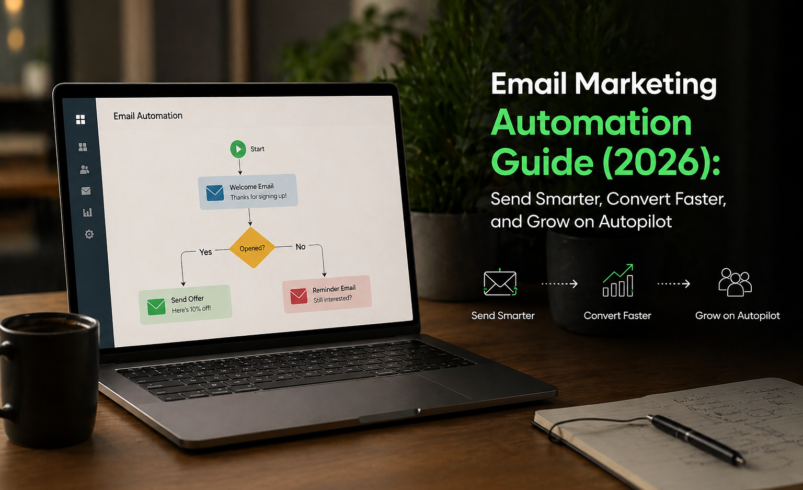

You built your email list. You know email marketing works. So why are you still manually sending campaigns at midnight, copying-and-pasting follow-up sequences, and watching open rates flatline?
The answer isn’t more effort — it’s smarter automation.
In 2026, email marketing automation is no longer a “nice-to-have” for growth-minded businesses. It’s the engine behind every high-converting funnel, every recovered abandoned cart, and every re-engaged subscriber who came back from the dead. Businesses using email automation see up to 320% more revenue than those sending broadcast emails alone (Campaign Monitor).
This complete email marketing automation guide for beginners and growing businesses walks you through everything: the best platforms, how automation actually works, real-world workflow examples, and exactly how to set up your first campaign — starting today.
Automation applied to an efficient operation will magnify the efficiency.
–Bill Gates
What Is Email Marketing Automation?
Email marketing automation is the process of sending the right email to the right person at the right time — automatically, based on triggers, behaviors, or predefined schedules.
Instead of manually emailing each subscriber, you build a workflow once: a sequence of emails that fires automatically when a user signs up, makes a purchase, abandons a cart, or goes quiet. The workflow runs in the background 24/7 while you focus on building your business.
The shift in 2026: AI-powered personalization has made automation far more precise. Modern platforms don’t just send scheduled emails — they predict the best send time, dynamically personalize content, and adjust sequences based on real-time behavior. If you’re still using basic broadcast emails, you’re leaving serious revenue on the table.
Why Email Marketing Automation Matters in 2026
The numbers tell a compelling story:
- $36 return for every $1 spent on email marketing (Litmus Email Marketing ROI Report)
- Automated emails generate 5% higher open rates and 152% higher click-through rates than standard newsletters (Epsilon Research)
- 75% of email revenue is driven by triggered, personalized campaigns rather than one-size-fits-all blasts
Beyond ROI, automation solves real operational pain points for small businesses and solopreneurs:
- Eliminates the need to manually send every follow-up
- Keeps subscribers engaged between major campaigns
- Delivers consistent customer experiences regardless of your team size
- Scales personalization to thousands of subscribers simultaneously
- Recovers lost revenue from abandoned carts and dormant subscribers
Quick Comparison: Best Email Marketing Automation Platforms 2026
|
Platform |
Starting Price |
Free Plan |
Best For |
Automation Depth |
|
ActiveCampaign |
$15/mo |
❌ No |
Advanced automation + CRM |
⭐⭐⭐⭐⭐ |
|
Klaviyo |
Free / $20/mo |
✅ Yes (250 contacts) |
E-commerce brands |
⭐⭐⭐⭐⭐ |
|
HubSpot Email |
Free / $15/user/mo |
✅ Yes |
All-in-one marketing teams |
⭐⭐⭐⭐⭐ |
|
Mailchimp |
Free / $13/mo |
✅ Yes (500 contacts) |
Beginners and SMBs |
⭐⭐⭐ |
|
ConvertKit (Kit) |
Free / $25/mo |
✅ Yes (1,000 subs) |
Creators and bloggers |
⭐⭐⭐⭐ |
|
Brevo (Sendinblue) |
Free / $9/mo |
✅ Yes |
Budget-friendly automation |
⭐⭐⭐⭐ |
|
Drip |
$39/mo |
❌ No |
E-commerce automation |
⭐⭐⭐⭐⭐ |
|
GetResponse |
Free / $15/mo |
✅ Yes |
Webinars + email automation |
⭐⭐⭐⭐ |
The 8 Best Email Marketing Automation Platforms in 2026
1. ActiveCampaign — Best Overall Email Automation Platform
ActiveCampaign is the benchmark for advanced email marketing automation — a full-featured platform that combines email, CRM, and machine learning-driven personalization. It’s the top choice for businesses that want to build sophisticated, behavior-triggered workflows without hiring a developer.
Key Features: – Visual drag-and-drop automation builder with 850+ pre-built workflow templates – Predictive sending — AI determines the optimal send time per subscriber – Lead scoring to automatically segment hot vs. cold prospects – Conditional content blocks (personalize email body based on contact data) – Deep CRM integration with deal pipeline management – Split automation testing for workflow optimization
Pricing: – Starter: $15/month (1,000 contacts) – Plus: $49/month — adds CRM, landing pages, Facebook custom audiences – Professional: $79/month — predictive sending, split automations, site messaging – Enterprise: Custom pricing
Pros: – Most powerful automation builder on the market – Seamless CRM + email integration – 870+ integrations including Shopify, WooCommerce, and Salesforce
Cons: – No free plan — trial only – Can be overwhelming for true beginners – Cost scales quickly with contact list size
Best For: Growing businesses, SaaS companies, and marketing teams that need enterprise-grade automation at a small business price.
2. Klaviyo — Best Email Automation for E-Commerce

Klaviyo is the dominant force in e-commerce email automation, and for good reason. It natively integrates with Shopify, WooCommerce, and BigCommerce, pulling real-time behavioral data to power hyper-personalized sequences that drive actual purchases.
Key Features: – Pre-built flows: welcome series, abandoned cart, post-purchase, win-back – Predictive analytics — predicts lifetime value, churn risk, and next order date – Dynamic product recommendations in email and SMS – A/B testing for subject lines, send times, and content – Unified email + SMS automation in one platform – Real-time revenue tracking per automation flow
Pricing: – Free: Up to 250 contacts, 500 email sends/month – Email: Starting at $20/month (up to 500 contacts; scales with list size) – Email + SMS: Starting at $35/month
Pros: – Best-in-class e-commerce integrations – Revenue attribution shows exact dollars per automation – SMS and email unified in a single workflow
Cons: – Expensive as your contact list grows – Primarily built for e-commerce — less suited to service businesses – Learning curve for beginners
Best For: Shopify and WooCommerce store owners who want to automate abandoned cart recovery, post-purchase upsells, and customer win-back campaigns.
3. HubSpot Email Marketing — Best for All-in-One Marketing Teams
HubSpot’s email automation tools sit inside a broader marketing and CRM ecosystem, making it the ideal how to automate email campaigns solution for teams that want a single platform across marketing, sales, and service.
Key Features: – Drag-and-drop email editor with 50+ professionally designed templates – Behavior-triggered workflows connected to CRM contact properties – Smart content — email content adapts based on who’s reading it – A/B testing for subject lines and email content – Detailed analytics with revenue attribution – Native integration with HubSpot CRM, ad tools, and landing pages
Pricing: – Free: Basic email sends, 2,000 emails/month – Marketing Hub Starter: $15/month — removes HubSpot branding, basic automation – Marketing Hub Professional: $800/month — advanced automation, full workflow builder, omnichannel campaigns – Enterprise: $3,600/month
Pros: – Free plan is genuinely functional for small teams – All-in-one platform eliminates tool fragmentation – Best reporting and attribution of any platform on this list
Cons: – Professional and Enterprise tiers are expensive – Full automation power requires Marketing Hub Professional – Can be more than small businesses need
Best For: Marketing teams already using HubSpot CRM, or businesses wanting one platform to manage email, ads, landing pages, and analytics.
4. Mailchimp — Best Email Automation for Beginners
Mailchimp is where most small businesses start their automation journey. The interface is approachable, the free plan is generous, and the customer journey builder makes it easy to create multi-step sequences without any technical background.
Key Features: – Customer Journey Builder with conditional branching – Pre-built automation templates (welcome, abandoned cart, re-engagement) – A/B and multivariate testing – Dynamic content personalization – Predictive demographic insights – 300+ integrations including Shopify, WordPress, and Eventbrite
Pricing: – Free: 500 contacts, 1,000 sends/month – Essentials: $13/month — removes Mailchimp branding, A/B testing – Standard: $20/month — full Customer Journey Builder, predictive segmentation – Premium: $350/month — advanced segmentation, priority support
Pros: – Best-in-class beginner experience – Generous free tier for small lists – Wide integration ecosystem
Cons: – Automation is less sophisticated than ActiveCampaign or Klaviyo – Pricing rises steeply as contact list grows – Recent feature updates have been slow compared to competitors
Best For: Startups, bloggers, and small business owners sending their first automated email sequences.
5. ConvertKit (Kit) — Best Email Automation for Creators
ConvertKit — rebranded as “Kit” in 2024 — is purpose-built for content creators, bloggers, and online educators. Its visual automation builder and subscriber tagging system make it exceptionally intuitive for building audience-nurturing sequences.
Key Features: – Visual automation builder with event/tag/form triggers – Tag-based subscriber segmentation (no messy lists) – Sequence editor for drip campaigns and course delivery – Landing pages and forms included on all plans – Commerce features — sell digital products and subscriptions natively – Creator Network for cross-promotion opportunities
Pricing: – Free: Up to 1,000 subscribers (limited automation) – Creator: $25/month — full visual automations, integrations, free migration – Creator Pro: $50/month — advanced reporting, subscriber scoring, newsletter referrals
Pros: – Simplest visual automation builder for non-technical users – Tag-based system is more flexible than list-based alternatives – Built-in tools to sell digital products
Cons: – Limited e-commerce automation compared to Klaviyo or Drip – Fewer email templates than Mailchimp – Not ideal for complex B2B workflows
Best For: Bloggers, course creators, podcasters, and newsletter operators who want clean, reliable automation without complexity.
6. Brevo (formerly Sendinblue) — Best Budget Email Automation Platform
Brevo is the most affordable email automation platform that doesn’t sacrifice serious functionality. It prices by email volume rather than contact count, making it an outstanding choice for businesses with large lists and lower send frequency.
Key Features: – Marketing automation with multi-step workflows – Transactional email and SMS in the same platform – Live chat, CRM, and landing pages included – Send Time Optimization powered by AI – WhatsApp marketing campaigns (unique differentiator in 2026) – Real-time email heatmaps and click maps
Pricing: – Free: 300 emails/day, unlimited contacts – Starter: $9/month — 20,000 emails/month, no daily limit – Business: $18/month — full marketing automation, A/B testing, landing pages – Enterprise: Custom pricing
Pros: – Cheapest full-featured automation platform available – Charges by volume, not contact count — ideal for large lists – WhatsApp and SMS support alongside email
Cons: – Automation workflows are less sophisticated than ActiveCampaign – Email template editor lags behind competitors – Deliverability can vary on lower-tier plans
Best For: Budget-conscious small businesses, agencies managing multiple clients, and businesses with large contact lists that send moderate email volume.
7. Drip — Best Email Automation for E-Commerce (Alternative to Klaviyo)

Drip positions itself as the e-commerce CRM, combining deep behavioral automation with a focus on revenue-generating workflows. It’s a strong alternative to Klaviyo for brands that want powerful automation with a cleaner interface.
Key Features: – Visual workflow builder with purchase and cart-based triggers – Deep Shopify, WooCommerce, and Magento integrations – Product recommendation engine within emails – Liquid personalization for dynamic content at scale – Revenue dashboards per automation and campaign – Onsite behavior tracking for hyper-targeted sequences
Pricing: – Starts at $39/month (up to 2,500 contacts) – Scales based on contact count
Pros: – Outstanding e-commerce workflow capabilities – Cleaner interface than Klaviyo for beginners – Strong revenue attribution and analytics
Cons: – No free plan — and starting price is higher than alternatives – Less suited to non-e-commerce businesses – Smaller integration library than Klaviyo
Best For: Mid-size e-commerce brands looking for a powerful Klaviyo alternative with a more intuitive interface.
8. GetResponse — Best Email Automation with Webinar Integration
GetResponse uniquely bundles email automation with webinar hosting, landing pages, and conversion funnels — making it a standout choice for coaches, course creators, and businesses that run online events as part of their marketing strategy.
Key Features: – Marketing Automation builder with scoring, tagging, and segmentation – Native webinar hosting integrated into automation sequences – Conversion Funnel builder — opt-in → nurture → sale in one tool – AI email generator and subject line optimizer – Push notifications and SMS alongside email – Detailed analytics with contact activity timelines
Pricing: – Free: 500 contacts, 1 landing page – Email Marketing: $15/month — autoresponders, basic automation – Marketing Automation: $49/month — full workflow builder, webinars up to 100 attendees – E-commerce Marketing: $99/month — abandoned cart, dynamic product emails
Pros: – Webinar + email integration is a unique and powerful combination – All-in-one approach reduces software costs for coaches and educators – Good pricing for the breadth of features offered
Cons: – Automation builder lags behind ActiveCampaign in sophistication – Interface feels slightly dated – Webinar features require a mid-tier plan
Best For: Online coaches, consultants, and educators who use webinars as a key lead generation or sales tool.
How Email Marketing Automation Works: Step-by-Step
Understanding the mechanics helps you build better workflows. Here’s how a typical automated email sequence works:
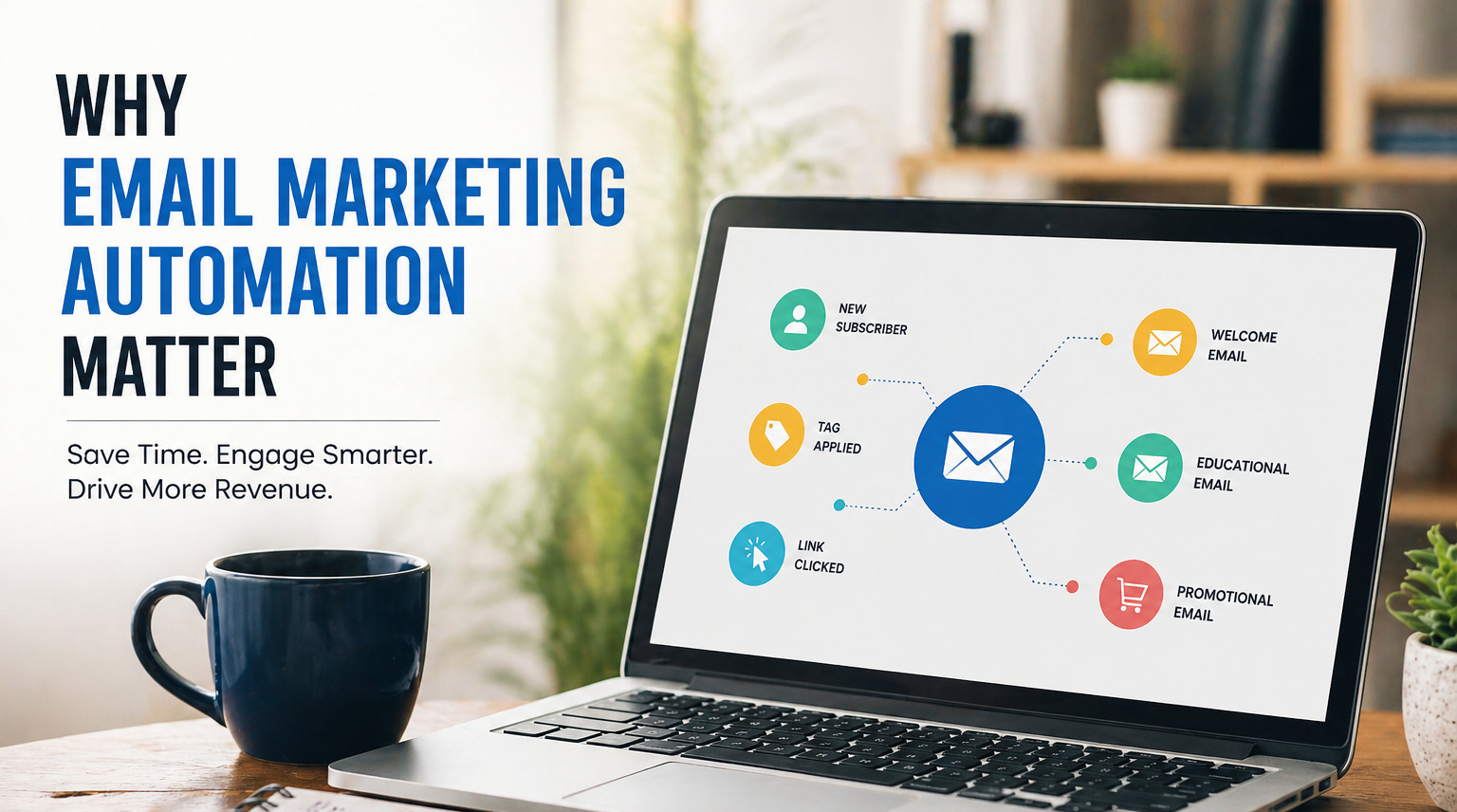
Step 1 — Trigger: A subscriber takes an action that starts the sequence. Common triggers include: form submission, link click, page visit, product purchase, cart abandonment, or a specific date.
Step 2 — Condition Check: The platform checks conditions you’ve defined. Example: “Has this contact made a purchase in the last 30 days? Yes/No.” The answer branches the workflow.
Step 3 — Action Executed: Based on the condition result, the platform performs an action — sends an email, applies a tag, moves the contact to a new list, or updates a CRM field.
Step 4 — Wait / Delay: The workflow pauses for a defined time (1 hour, 3 days, 1 week) before the next step fires.
Step 5 — Loop or Exit: The contact either continues through the workflow, exits when they complete a goal (e.g., made a purchase), or enters a new automation triggered by their latest behavior.
Types of Automated Emails Every Business Should Use
Welcome Series
The highest-performing automated sequence. Triggered the moment someone subscribes, a welcome series introduces your brand, sets expectations, and delivers immediate value. A 3–5 email sequence sent over the first 7 days dramatically improves long-term engagement.
Abandoned Cart Emails
The most direct revenue-recovery tool in e-commerce. Research shows 45% of abandoned cart emails are opened, and 21% receive click-throughs (Moosend). A 3-part sequence — sent at 1 hour, 24 hours, and 72 hours post-abandonment — recovers an average of 10–15% of lost carts.
Drip Campaigns
A timed educational sequence that nurtures leads through the awareness → consideration → decision funnel. Ideal for SaaS trials, service businesses, and high-ticket products that require relationship-building before purchase.
Post-Purchase Sequences
Sent after a customer buys. Goals include: delivery confirmation, usage tips, review requests, cross-sell recommendations, and loyalty program enrollment. These sequences dramatically improve customer retention and lifetime value.
Re-Engagement Campaigns
Targets subscribers who haven’t opened or clicked in 60–90 days. A 3-step sequence with a compelling subject line, a value-driven offer, and a final “should we break up?” email typically re-activates 10–25% of dormant contacts.
Transactional Emails
Order confirmations, shipping notifications, password resets, and receipts. These have the highest open rates of any email type (70–90%) and represent prime real estate for upsells and brand reinforcement.
How to Set Up Your First Email Automation Workflow
Follow this beginner-friendly process to launch your first automation in under 2 hours:
- Choose your platform. Start with Mailchimp, ConvertKit, or Brevo if you’re new. ActiveCampaign or Klaviyo if you’re ready for advanced automation.
- Define your goal. What should this workflow achieve? Onboard new subscribers? Recover abandoned carts? Re-engage dormant contacts? One clear goal per workflow.
- Choose your trigger. The event that starts the automation. For beginners, start with: “Contact subscribes to a specific form” or “Contact makes their first purchase.”
- Map your email sequence. Before building, sketch the sequence on paper: Email 1 (immediate) → Wait 2 days → Email 2 → Wait 3 days → Email 3. Keep it to 3–5 emails to start.
- Write your emails. Focus on value first, sell second. Each email should have one clear subject, one clear message, and one clear call to action.
- Set your timing. Delays between emails matter. Welcome emails work best immediately. Post-purchase sequences perform best at 1 hour, 24 hours, and 3 days.
- Test before you launch. Send every email to yourself. Check mobile rendering, links, personalization tokens, and the unsubscribe link.
- Monitor and optimize. After 2 weeks, review open rates (target: 40%+), click rates (target: 3–5%+), and conversions. A/B test subject lines and CTAs to improve performance over time.
Real-World Email Automation Workflow Examples
Example 1 — SaaS Free Trial Welcome Sequence: Day 0: “Welcome to [Product] — here’s how to get started” → Day 2: “Your most important first step (5-minute setup)” → Day 4: “How [Customer] got results in their first week” → Day 7: “Your trial ends in 7 days — here’s why to upgrade”
Example 2 — E-Commerce Abandoned Cart Recovery: 1 hour post-abandonment: “You left something behind…” → 24 hours: “Your cart is still waiting (+ 10% off)” → 72 hours: “Last chance — items are selling fast”
Example 3 — B2B Lead Nurture Drip: Day 0 (after whitepaper download): Deliver the resource + brief intro → Day 3: Related blog post + case study → Day 7: Product feature overview → Day 14: “Ready to see [Product] in action?” — Demo CTA
Best Practices for High-Converting Email Automation
- Segment ruthlessly. Automated emails sent to targeted segments convert 3x better than broadcast sequences. Segment by source, behavior, purchase history, and engagement level.
- Personalize beyond the first name. Use dynamic content to reference past purchases, browsing behavior, or geographic location.
- Keep subject lines conversational. Automation should feel personal, not robotic. “Quick question for you” outperforms “Our Weekly Newsletter #47.”
- Optimize for mobile first. Over 60% of emails are opened on mobile devices. Single-column layouts, large fonts, and thumb-friendly CTAs are non-negotiable.
- Set a clear goal per email. One email, one action. Avoid multiple competing CTAs.
- Always include an easy unsubscribe. It protects your deliverability and builds trust. Subscribers who can’t unsubscribe mark you as spam.
- Review deliverability metrics monthly. Watch your bounce rate (keep below 2%), spam complaint rate (keep below 0.1%), and list growth rate.
Common Email Automation Mistakes to Avoid
Setting it and forgetting it. Automation runs on autopilot, but it still needs quarterly audits. Broken links, outdated offers, and irrelevant content erode trust over time.
Over-emailing. Sending 7 emails in the first week of a welcome series doesn’t build relationships — it builds unsubscribes. Respect the pace.
Ignoring segmentation. Sending identical sequences to buyers and non-buyers, or to warm leads and cold prospects, destroys relevance and conversions.
Skipping the plain-text version. Many email clients prefer or display plain-text. Always include a plain-text version alongside your HTML email.
Not testing on mobile. An email that looks perfect on desktop but breaks on mobile loses half your audience before the message lands.
Purchasing email lists. Automated sequences sent to cold, purchased lists obliterate your sender reputation and deliverability. Always build your list organically.
Frequently Asked Questions
What is the best email automation tool in 2026? ActiveCampaign is the best overall email automation tool for most businesses, thanks to its advanced visual workflow builder, CRM integration, and AI-powered features. For e-commerce specifically, Klaviyo is the industry leader. For beginners on a budget, Mailchimp or Brevo offer excellent starting points.
Is email marketing automation worth it for small businesses? Absolutely. Small businesses with limited teams benefit the most from automation — it multiplies your capacity without adding headcount. Businesses using automated email sequences report 320% higher revenue from email than those relying on manual campaigns alone (Campaign Monitor).
How much does email marketing automation cost? Email automation can cost nothing (Mailchimp, Brevo, ConvertKit, and HubSpot all offer genuinely useful free plans) or scale to hundreds of dollars monthly for enterprise platforms. Most small businesses find full-featured automation for $15–$50/month on platforms like ActiveCampaign, Brevo, or ConvertKit.
How long does it take to set up an email automation workflow? A simple 3-email welcome sequence can be live within 2 hours using a platform like Mailchimp or ConvertKit. More advanced multi-branch workflows with behavioral triggers typically take 1–2 days to plan, write, build, and test.
What’s the difference between an autoresponder and an automation workflow? An autoresponder sends a single email in response to a trigger (e.g., “send a confirmation email when someone subscribes”). A workflow is a multi-step sequence with conditional logic, branching paths, wait times, and dynamic actions — far more powerful and personalized.
Conclusion: Stop Sending Emails Manually — Start Automating Intelligently
Email marketing automation in 2026 isn’t about sending more emails. It’s about sending the right email to the right person at precisely the right moment — without lifting a finger every time.
The platforms covered in this guide give every business — from solo creator to scaling SaaS company — the tools to build sequences that welcome new subscribers warmly, recover lost revenue automatically, and keep customers engaged long after the first purchase.
Our top picks at a glance: – Best overall automation: ActiveCampaign – Best for e-commerce: Klaviyo – Best for beginners: Mailchimp – Best for creators: ConvertKit (Kit) – Best budget option: Brevo – Best all-in-one: HubSpot
Start with one workflow. Build a three-email welcome series today. Measure it, optimize it, then expand. The businesses winning with email in 2026 aren’t sending more — they’re automating smarter.
Ready to automate? Start a free trial with ActiveCampaign or Klaviyo today and build your first revenue-generating workflow in under 2 hours — no developer required.
Last updated: April 2026 | Sources: Campaign Monitor Email Marketing ROI Report, Litmus State of Email 2026, Epsilon Email Marketing Research, Moosend Abandoned Cart Statistics