





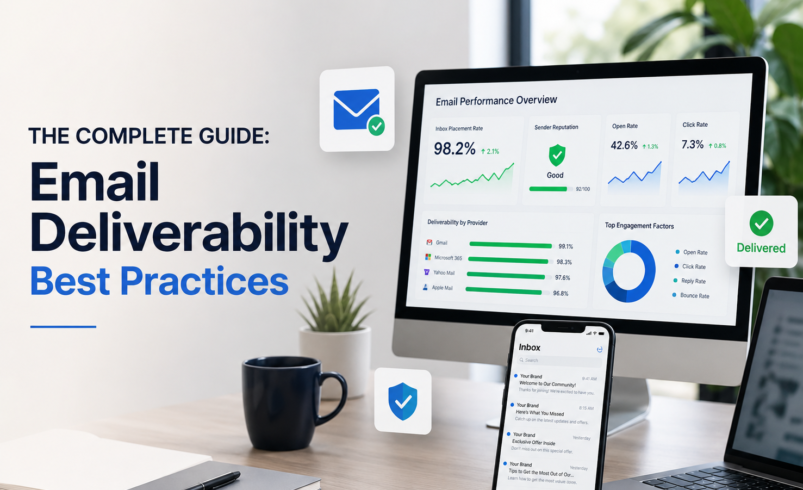

Inbox Placement, Sender Reputation, Authentication & Performance
|
99%+ Target Delivery Rate |
<0.1% Spam Complaint Goal |
<0.5% Bounce Rate Target |
40%+ Engaged Open Rate |
|
WHO THIS GUIDE IS FOR Ecommerce brands, Klaviyo users, Shopify store owners, email marketing managers, and any business owner who wants their emails to actually reach the inbox. |
People find waiting more tolerable when they can see the work being done on their behalf
“Labor Illusion” insight
Email Deliverability Best Practices: The Complete Guide to Improving Inbox Placement
|
FEATURED SNIPPET ANSWER Email deliverability refers to the ability of an email to successfully reach the recipient’s inbox — rather than landing in spam, promotions, or being blocked entirely. It is determined by sender reputation, authentication setup, list quality, and engagement signals. Even with a 100% delivery rate, poor deliverability means your emails never reach their intended destination. |
If you’re spending hours crafting emails and wondering why revenue isn’t moving, deliverability is often the invisible culprit. You can have the best subject line in the world — but if your email is sitting in a spam folder, it might as well not exist.
This guide covers everything you need to know to land in the inbox, protect your sender reputation, and build an email programme that actually performs — whether you’re on Klaviyo, Mailchimp, or any other platform.
1. What Is Email Deliverability?
Definition
|
FEATURED SNIPPET ANSWER Email deliverability is the measurement of how successfully an email reaches a recipient’s primary inbox. Unlike delivery rate — which simply confirms an email was accepted by the recipient’s mail server — deliverability specifically measures whether the email bypassed spam filters and landed where the recipient will actually see it. |
Deliverability vs Delivery Rate vs Inbox Placement
|
Term |
What It Means |
Why It Matters |
|
Delivery Rate |
% of emails accepted by the recipient mail server (not bounced) |
Tells you if the email was received at all — but not where it went |
|
Deliverability |
Whether emails consistently reach the primary inbox vs spam |
The true measure of email programme health |
|
Inbox Placement Rate |
% of delivered emails landing in the primary inbox tab |
The most accurate performance indicator for engagement |
|
Bounce Rate |
% of emails returned undeliverable (hard or soft bounces) |
High bounce rates signal list quality problems and damage reputation |
A 99% delivery rate sounds impressive — but if 40% of those delivered emails land in the spam folder, your effective reach is dramatically lower than the numbers suggest. Inbox placement rate is the metric that tells the real story.
2. Why Email Deliverability Matters
Revenue Impact
Every email that misses the inbox is revenue that never had a chance. For ecommerce brands, email marketing typically drives 25–40% of total revenue. A deliverability problem doesn’t just affect one send — it compounds. As inbox providers observe low engagement from your domain, they increasingly route future sends to spam, creating a downward spiral that becomes progressively harder to reverse.
Sender Reputation
Your domain and IP have a reputation score maintained by inbox providers like Gmail, Outlook, and Apple Mail. This score is based on your sending history, bounce rates, spam complaint rates, and subscriber engagement. A poor reputation affects every email you send — including transactional messages like order confirmations and shipping notifications.
Customer Engagement and Retention
For subscription and DTC brands, email is the primary retention channel. If your welcome series, post-purchase flows, and re-engagement campaigns aren’t reaching the inbox, your customer lifecycle marketing simply doesn’t work — regardless of how well designed the emails are.
|
Industry Benchmark Email marketing delivers an average ROI of $36–$42 for every $1 spent — but only when emails actually reach the inbox. Deliverability problems can reduce effective ROI by 50% or more. |
3. Top Email Deliverability Best Practices
These are the core practices that determine whether your email programme thrives or struggles. Implement them in order of priority.
|
Practice 1 — Use Double Opt-In |
Why Double Opt-In Protects Deliverability
Double opt-in requires new subscribers to confirm their email address via a follow-up confirmation link. This single step delivers several deliverability benefits simultaneously.
- Eliminates invalid and mistyped email addresses before they enter your list
- Reduces hard bounces by verifying addresses are real and active
- Produces a more engaged subscriber base with higher open and click rates
- Creates a compliance audit trail for GDPR and CAN-SPAM purposes
- Signals genuine intent — subscribers who confirm are far more likely to engage
A smaller list of engaged subscribers will outperform a large list of unverified contacts every time.
|
Practice 2 — Set Up Email Authentication (SPF, DKIM, DMARC) |
The Authentication Stack Explained
Email authentication is the technical foundation of deliverability. Without it, inbox providers have no way to verify that emails claiming to come from your domain are legitimate — and will treat them accordingly.
SPF — Sender Policy Framework
SPF is a DNS record that specifies which mail servers are authorised to send email on behalf of your domain. When a receiving mail server gets your email, it checks your SPF record to confirm the sending server is on your approved list.
|
SPF Record Example v=spf1 include:klaviyomail.com include:_spf.google.com ~all |
DKIM — DomainKeys Identified Mail
DKIM adds a cryptographic signature to every email you send. The receiving server uses a public key published in your DNS to verify the signature matches — proving the email hasn’t been tampered with in transit and genuinely originates from your domain.
Most ESPs, including Klaviyo, provide DKIM keys during setup. You add a CNAME record to your DNS pointing to the ESP’s DKIM verification endpoint.
DMARC — Domain-based Message Authentication, Reporting & Conformance
DMARC builds on SPF and DKIM by telling inbox providers what to do when an email fails authentication checks — and giving you a reporting feed to monitor authentication failures across your domain.
|
DMARC Record Example v=DMARC1; p=quarantine; rua=mailto:dmarc@yourdomain.com; pct=100 |
|
Protocol |
What It Does |
DNS Record Type |
Required? |
|
SPF |
Authorises sending mail servers |
TXT |
Yes — essential |
|
DKIM |
Cryptographically signs emails |
CNAME or TXT |
Yes — essential |
|
DMARC |
Defines authentication failure policy |
TXT |
Strongly recommended |
|
BIMI |
Displays brand logo in inbox |
TXT |
Optional but beneficial |
|
Important Gmail and Yahoo now require SPF, DKIM, and DMARC for bulk senders (5,000+ emails/day). Without them, your emails will be rejected or routed to spam by default. |
|
Practice 3 — Warm Up Your Sending Domain |
What Is Domain Warming?
|
FEATURED SNIPPET ANSWER Domain warming is the process of gradually increasing email sending volume from a new domain or IP address to build a positive sender reputation with inbox providers. Sending large volumes immediately from a new domain triggers spam filters because inbox providers have no engagement history to reference. |
Domain Warm-Up Schedule
|
Week |
Daily Send Volume |
Target Audience |
Goal |
|
Week 1 |
200–500 emails/day |
Most engaged subscribers only |
Establish basic reputation |
|
Week 2 |
500–2,000 emails/day |
Highly engaged past 90 days |
Build positive signals |
|
Week 3 |
2,000–10,000 emails/day |
Engaged past 180 days |
Expand reputation |
|
Week 4+ |
Full volume |
Full list with suppression rules |
Normal sending |
- Always start with your most engaged subscribers — high open and click rates during warm-up build positive reputation signals
- Monitor spam complaint rates closely — keep below 0.08% throughout warm-up
- Never skip weeks or accelerate the schedule — inbox providers detect sudden volume spikes
- Use engagement-based segmentation, not random sampling, for warm-up sends
|
Practice 4 — List Hygiene Best Practices |
Why Clean Lists Are Non-Negotiable
Sending to stale, invalid, or disengaged email addresses is one of the fastest ways to damage your sender reputation. Inbox providers use engagement signals to evaluate the quality of your sending — and a list full of cold contacts tells them your emails aren’t worth delivering.
Email List Hygiene Checklist
- Remove hard bounces immediately — hard bounces indicate invalid addresses that no longer exist
- Suppress soft bounce accumulations — suppress after 3–5 consecutive soft bounces
- Run a 90-day re-engagement campaign — for subscribers who haven’t opened in 90 days
- Suppress non-openers after 180 days — if no engagement after re-engagement attempt, suppress
- Use an email validation service — tools like ZeroBounce or NeverBounce clean lists before import
- Never add subscribers without consent — purchased or scraped lists destroy deliverability immediately
- Review unsubscribes monthly — high unsubscribe rates on specific campaigns signal relevance problems
|
Practice 5 — Segmentation for Better Deliverability |
How Segmentation Directly Improves Inbox Placement
Sending relevant content to engaged subscribers is not just a conversion strategy — it’s a deliverability strategy. Inbox providers measure aggregate engagement signals across your sending domain. The higher your open and click rates, the more inbox providers trust your emails.
Core Segments for Deliverability
- Highly Engaged (past 30 days): Opened or clicked within 30 days — your most valuable deliverability asset
- Engaged (past 90 days): Regular send segment with healthy engagement signals
- At-Risk (90–180 days no engagement): Send a re-engagement flow before suppressing
- Inactive (180+ days): Suppress from standard sends — consider sunset policy
- New subscribers (past 30 days): Prioritise in warm-up sends and welcome sequences
Never batch-blast your entire list with every campaign. Send your highest-priority campaigns to your most engaged segment first, monitor engagement, then expand send to broader segments if metrics remain healthy.
|
Practice 6 — Consistent Sending Frequency |
Why Inconsistency Damages Reputation
Erratic sending patterns — emailing daily for two weeks, then going silent for two months, then sending five emails in three days — confuse inbox providers and reduce subscriber expectation. Both inbox algorithms and human subscribers respond negatively to inconsistency.
- Set a predictable cadence and stick to it — weekly, biweekly, or monthly
- Let subscribers know what to expect during the signup process
- If you need to increase frequency, do so gradually over several weeks
- Avoid sudden high-volume sends after periods of inactivity — this triggers spam filters
|
Practice 7 — Engagement-Based Sending |
Send to Who’s Listening
Sending to your full list every time may feel like you’re maximising reach — but it actually suppresses your engagement rates and signals to inbox providers that a proportion of your audience doesn’t want your emails. This hurts deliverability for everyone on your list.
A better model: send your most important campaigns exclusively to highly engaged segments first. If performance metrics (open rate, click rate, complaint rate) look healthy, send to your broader list. If metrics look poor on the engaged segment, fix the email — don’t expand the send.
|
Practice 8 — Avoid Spam Trigger Words and Design Patterns |
Content Signals That Trigger Filters
Modern spam filters use machine learning and evaluate hundreds of signals — not just specific words. That said, certain patterns consistently raise flags.
Subject Line Red Flags
- Excessive capitalisation: FREE!!!, ACT NOW, YOU’VE BEEN SELECTED
- Misleading urgency: ‘Final warning’, ‘Your account will be suspended’
- Deceptive personalisation: ‘Re: Your question’ when there was no question
- Overuse of symbols: $$$, !!!, %%%
Email Body Red Flags
- Image-only emails with no text — spam filters can’t read images
- Excessive links relative to text content
- URL shorteners hiding the destination domain
- HTML that doesn’t match the plain text version
- Large file sizes from unoptimised images
|
Practice 9 — Mobile-Friendly Email Design |
Why Mobile Optimisation Affects Deliverability
Over 60% of emails are opened on mobile devices. Poor mobile rendering leads to immediate closes and increased spam complaints — both of which damage sender reputation.
- Use single-column layouts for reliable mobile rendering
- Minimum font size 14px for body text, 22px+ for headlines
- Tap targets (buttons/links) minimum 44x44px
- Images should be responsive with max-width: 100%
- Test across Gmail, Apple Mail, Outlook, and mobile clients before sending
4. Email Deliverability Best Practices for Ecommerce Brands
Klaviyo-Specific Deliverability Recommendations
Klaviyo is purpose-built for ecommerce and offers several native features that directly support deliverability — when used correctly.
Smart Sending in Klaviyo
Klaviyo’s Smart Sending feature prevents a subscriber from receiving more than one campaign email within a defined time window (default: 16 hours). Enable this on all campaigns to avoid over-sending to active subscribers and reduce complaint rates.
Klaviyo Profile Suppression
Maintain a proactive suppression strategy. In Klaviyo, use the Suppression List to exclude hard bounces, spam complainants, and manually unsubscribed contacts. Review this list monthly.
Engagement-Based Segments in Klaviyo
Build these four segments in Klaviyo and use them to control campaign eligibility:
- Highly Engaged: Opened or clicked email at least once in last 30 days
- Engaged: Opened or clicked email at least once in last 90 days
- At-Risk: Has not opened or clicked in 91–180 days
- Inactive: Has not opened or clicked in 180+ days — exclude from standard sends
Shopify Integration Best Practices
- Ensure Shopify consent collection is properly configured — only subscribers with explicit consent should receive marketing emails
- Use Klaviyo’s Shopify subscriber sync to ensure consent status is respected at the list level
- Segment by purchase history — customers who purchased in the past 90 days are your highest-engagement, highest-deliverability segment
- Use behavioural triggers (Checkout Started, Added to Cart, Viewed Product) for automation rather than time-based batch sends
Flow vs Campaign Deliverability
|
Email Type |
Typical Engagement |
Deliverability Risk |
Best Practice |
|
Welcome Flow |
Very High (50–80% opens) |
Very Low |
Send immediately on signup |
|
Post-Purchase Flow |
High (40–60% opens) |
Low |
Trigger within 2 hours of purchase |
|
Abandoned Cart |
High (35–50% opens) |
Low |
Trigger 1 hour after abandonment |
|
Broadcast Campaign |
Medium (25–40% opens) |
Medium |
Segment to engaged subscribers only |
|
Win-Back Campaign |
Low (10–20% opens) |
High |
Send to at-risk segment only, sunset after |
|
Back-in-Stock |
Very High (40–70% opens) |
Very Low |
Trigger immediately on stock return |
5. Common Email Deliverability Mistakes
Mistake 1 — Purchasing Email Lists
|
Critical Warning Buying email lists is the single fastest way to destroy sender reputation. Purchased contacts never consented to hear from you. They will mark your emails as spam. Your complaint rate will spike above the 0.1% threshold Gmail and Yahoo use as a penalty trigger. Recovery from a spam reputation takes months. Never do it. |
Mistake 2 — Sending to Inactive Subscribers
Sending campaigns to your full list regardless of engagement is a common mistake that gradually poisons your sender reputation. Every email sent to someone who consistently doesn’t open it is a negative signal. Segment your inactive subscribers out of standard campaigns and into re-engagement flows — or suppress them.
Mistake 3 — Ignoring Bounce Data
Hard bounces should be automatically suppressed by your ESP — but always verify this is working. A 2%+ hard bounce rate on a single send is enough to trigger inbox provider penalties. Monitor bounce rates after every campaign.
Mistake 4 — Poor Authentication Setup
Many brands set up their ESP without properly configuring SPF, DKIM, and DMARC on their domain DNS. Emails from unauthenticated domains are treated with suspicion by every major inbox provider. If you’re on Klaviyo, the platform provides clear DNS record instructions — there’s no reason to skip this step.
Mistake 5 — Excessive Sending Frequency
Sending too frequently drives up unsubscribe rates and spam complaints — even from previously engaged subscribers. There’s no universal right frequency, but monitor your complaint rate and unsubscribe rate after frequency increases. If either spikes, reduce cadence immediately.
Mistake 6 — Ignoring Spam Complaints
A spam complaint rate above 0.1% triggers penalties from Gmail and Yahoo. In Klaviyo, spam complaints automatically suppress the complainant. Review complaint data after every send and look for patterns — subject line bait-and-switch, unexpected emails, or frequency issues are the most common causes.
6. Email Deliverability: Good vs Poor Practices Comparison
|
Practice Area |
Good Practice |
Poor Practice |
|
List Building |
✅ Double opt-in with confirmed consent |
❌ Single opt-in or purchased lists |
|
Authentication |
✅ SPF, DKIM, and DMARC all configured |
❌ Missing or misconfigured authentication |
|
Bounce Management |
✅ Hard bounces suppressed immediately |
❌ Continuing to send to bounced addresses |
|
Segmentation |
✅ Engagement-based segmentation, exclude inactive |
❌ Full list batch-blast every send |
|
Frequency |
✅ Consistent, predictable cadence |
❌ Sporadic — months of silence then daily sends |
|
Complaint Rate |
✅ Below 0.08% consistently |
❌ Above 0.1% — triggers inbox provider penalties |
|
Re-engagement |
✅ Win-back flow then sunset inactive contacts |
❌ Never cleaning list, sending to everyone forever |
|
Content |
✅ Relevant, valuable, personalised content |
❌ Generic, image-only, spam-trigger-heavy content |
|
Domain Warming |
✅ Gradual ramp-up for new domains |
❌ Sending full volume immediately from new domain |
|
Mobile Design |
✅ Responsive, tested on multiple clients |
❌ Desktop-only, unoptimised images, tiny text |
7. Email Deliverability Checklist
Use this checklist before every major send and as part of your monthly email programme audit.
Authentication Setup
- SPF record published and validated in DNS
- DKIM signature configured and verified via ESP
- DMARC policy set to at least p=quarantine
- Sending from a custom domain, not a shared ESP address
List Health
- Hard bounces automatically suppressed
- Unsubscribes processed and honoured within 10 business days
- Re-engagement campaign running for 90–180 day non-openers
- Inactive subscribers (180+ days) excluded from standard campaigns
- No purchased, rented, or scraped email addresses on any list
Before Every Send
- Sending segment limited to engaged subscribers (opened/clicked in past 90 days)
- Subject line reviewed for spam triggers
- Email rendered and tested on mobile and desktop clients
- Plain text version matches HTML content
- All links tested and pointing to correct URLs (no URL shorteners)
- Unsubscribe link visible and functional
- Physical business address included in footer
Post-Send Monitoring (within 48 hours)
- Open rate — target above 25% (engaged segment) or above 15% (full list)
- Click rate — target above 2% for campaigns, above 4% for flows
- Bounce rate — investigate immediately if above 2%
- Spam complaint rate — escalate immediately if above 0.08%
- Unsubscribe rate — investigate if above 0.5%
8. Expert Recommendations: Advanced Deliverability Strategies
Implement a Sunset Policy
A sunset policy is a structured approach to suppressing permanently inactive subscribers. Define your thresholds: after 90 days with no engagement, enter a re-engagement flow; after 180 days with no engagement, suppress permanently. This keeps your list lean, your engagement rates high, and your sender reputation strong.
Monitor Google Postmaster Tools
Google Postmaster Tools is a free service that provides direct insight into how Gmail perceives your sending domain — including your domain reputation score, IP reputation, spam rate, and authentication status. If you’re sending significant volume to Gmail users, this is essential monitoring.
- Access at postmaster.google.com — verify your domain to get started
- Monitor Domain Reputation score — Low or Bad requires immediate intervention
- Check Spam Rate daily after major campaign sends
- Review Feedback Loop data to identify which campaigns generate complaints
Use a Dedicated Sending Domain
If you’re on a shared IP or sending domain through your ESP, your deliverability can be affected by other senders on the same infrastructure. For high-volume senders (50,000+ emails/month), a dedicated sending domain provides complete control over your own reputation.
Segment by Inbox Provider
Different inbox providers have different spam filtering algorithms. If you notice consistently low open rates from Gmail users but high rates from Apple Mail users, the issue may be Gmail-specific. Klaviyo’s deliverability reporting lets you see engagement broken down by inbox provider — use this data to diagnose provider-specific issues.
Test Before You Send at Scale
Tools like Litmus, Email on Acid, and Mail-Tester allow you to run spam filter checks, rendering tests across 90+ email clients, and authentication verification before sending to your full list. For high-stakes campaigns (major product launches, sales events), this testing investment pays for itself.
Strategic Send Time Optimisation
Klaviyo’s Send Time Optimisation feature uses machine learning to deliver each email at the time each individual subscriber is most likely to engage. Higher engagement rates from time-optimised sends build positive sender reputation signals over time.
9. Frequently Asked Questions
What is email deliverability and how is it different from delivery rate?
|
FEATURED SNIPPET ANSWER Delivery rate measures the percentage of emails not bounced back by the recipient’s server. Email deliverability measures whether those delivered emails actually reached the primary inbox — not the spam or promotions folder. You can have a 99% delivery rate and still have poor deliverability if most emails land in spam. |
Why are my marketing emails going to spam?
The most common causes are: poor sender reputation due to low engagement rates, missing or incorrect SPF/DKIM/DMARC authentication, high spam complaint rates, sending to purchased or stale lists, or subject lines triggering spam filters. Start by checking your authentication setup and reviewing your recent complaint and bounce data.
How do I improve email deliverability in Klaviyo?
In Klaviyo specifically: configure your dedicated sending domain with correct SPF, DKIM, and DMARC records; enable Smart Sending on all campaigns; create engagement-based segments and exclude inactive subscribers from standard sends; monitor your suppression list regularly; and use Klaviyo’s built-in deliverability dashboard to track complaint and bounce rates after each send.
What is a good email deliverability rate?
A delivery rate above 98% is considered good for established sending domains. More meaningfully, an inbox placement rate above 85% (emails reaching primary inbox, not spam) is the target for healthy programmes. Spam complaint rates should stay below 0.08% and bounce rates below 0.5%.
How long does it take to recover from a deliverability problem?
Recovery time depends on the severity of the damage. Minor deliverability issues (slightly elevated complaint rates) can often be resolved within 2–4 weeks of corrective action. Serious reputation damage — from purchasing lists, sending to disengaged subscribers at scale, or authentication failures — can take 2–6 months of consistent best-practice sending to fully recover.
Does email list size affect deliverability?
List size itself doesn’t affect deliverability — list quality does. A list of 100,000 unengaged contacts will deliver worse results than a list of 10,000 highly engaged subscribers. Inbox providers evaluate engagement rates proportionally, so a larger inactive list means a lower overall engagement rate, which signals poor sender quality.
What is email warm-up and when do I need it?
Email warm-up is the process of gradually increasing send volume from a new domain or IP address to establish a positive sending reputation. You need it whenever you’re starting a new sending domain, switching to a dedicated IP, or returning to high-volume sending after a long pause. Skipping warm-up and sending full volume immediately from a new domain almost always triggers spam filters.
How do spam complaint rates affect deliverability?
Gmail and Yahoo use a 0.1% spam complaint rate as a penalty threshold. Once you cross it, both providers begin routing a higher proportion of your sends to spam automatically. At 0.3%+ sustained complaint rates, your domain may be blacklisted. Monitor complaint rates after every campaign and investigate any send that generates complaints above 0.05%.
What is DMARC and do I need it for email marketing?
DMARC (Domain-based Message Authentication, Reporting & Conformance) is a DNS policy that tells inbox providers how to handle emails that fail SPF or DKIM authentication, and sends you reports on authentication results. Since 2024, Google and Yahoo require DMARC for bulk senders. Even if you’re below the bulk threshold, implementing DMARC protects your domain from spoofing and phishing attacks and is best practice for any legitimate email sender.
How does segmentation improve email deliverability?
Segmentation improves deliverability by ensuring you only send to subscribers who are likely to engage with your emails. Higher engagement rates (opens, clicks) are the primary positive signal inbox providers use to evaluate sender quality. By excluding inactive subscribers and targeting your most engaged contacts, you raise your average engagement rate — which tells inbox providers your emails are wanted, improving inbox placement for your entire domain.
10. Conclusion: Your Email Deliverability Action Plan
Email deliverability isn’t a one-time setup task — it’s an ongoing discipline. The brands that consistently land in the inbox aren’t doing anything magical. They’re just doing the fundamentals correctly, consistently.
|
Key Takeaways The three pillars of email deliverability are: technical authentication (SPF, DKIM, DMARC), list quality (engaged, consented subscribers), and sending behaviour (relevant, consistent, segmented). Fix all three simultaneously — addressing only one rarely solves the problem. |
Your Immediate Action Steps
- Audit your authentication: Check SPF, DKIM, and DMARC are correctly configured on your sending domain today
- Build engagement segments: Create Highly Engaged (30 days), Engaged (90 days), At-Risk, and Inactive segments in your ESP
- Clean your list: Suppress hard bounces, process all unsubscribes, and remove contacts with no engagement in 180+ days
- Set up Google Postmaster Tools: Monitor your domain reputation and spam rate directly from Gmail’s perspective
- Implement Smart Sending: Enable frequency protection on all Klaviyo campaigns to prevent over-sending
- Review recent campaigns: Check complaint rates, bounce rates, and open rates on your last five sends — address any anomalies before your next campaign
- Build a re-engagement flow: Create an automated win-back sequence for at-risk subscribers with a clear sunset trigger
Consistent inbox placement is a competitive advantage. In a crowded email landscape, the brands that invest in deliverability fundamentals earn more attention, build stronger customer relationships, and generate measurably more revenue from every send.